

What Is E Ink Display? Why It Feels Better for Your Eyes
What is e ink display and does it really reduce eye strain?
What is e ink display? An E Ink display is an electronic paper technology that forms text and images by moving electrically charged pigment particles inside microscopic capsules instead of using a constantly illuminated screen. Because it relies on reflected ambient light rather than a traditional backlight, many people find it more comfortable for extended reading. While E Ink can reduce glare and minimize exposure to emitted blue light from the display itself, overall eye comfort also depends on lighting conditions, viewing habits, and screen time. Its trade-offs include slower refresh rates, limited color reproduction, and weaker performance for video and fast-moving content.
What is e ink display: Honest review and key limitations explained
What is e ink display, and why has this electronic paper technology become increasingly popular for eReaders, digital notebooks, and minimalist smartphones? In this guide, you'll learn how E Ink screens work, how they compare with OLED and LCD displays, why they consume so little power, and where they excel in everyday use. You'll also discover their biggest limitations so you can decide whether an E Ink device is the right choice for reading, productivity, or reducing digital distractions.
⏱ 8 min read
Whether you spend hours reading ebooks, reviewing documents, or browsing articles, prolonged screen use can contribute to eye fatigue and visual discomfort. Choosing the right display technology is one factor that may improve your overall reading experience.
How does an E Ink screen differ from OLED or LCD, and is it the better option for your needs? This guide explains the technology in clear, practical terms.
Curious whether an E Ink device fits your reading and work routine?
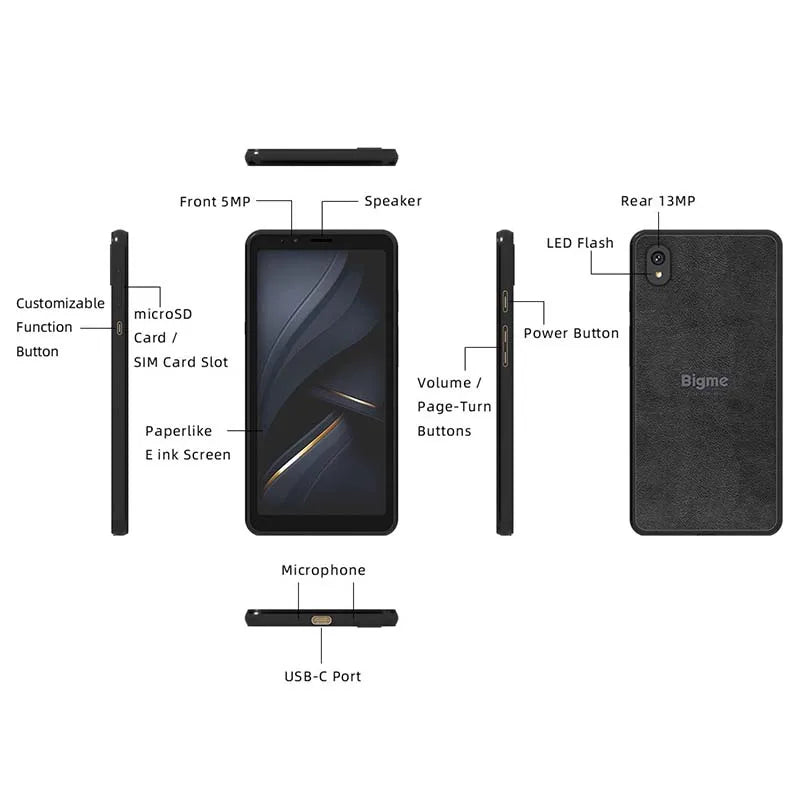
What is e ink display and why it matters for comfortable, paper-like reading
What is e ink display explained simply
What is an E Ink display? Also called an E Ink screen or electronic paper display , it is a reflective display technology designed to mimic the appearance of ink on paper. Instead of illuminating every pixel with a backlight, it rearranges tiny black and white pigment particles inside microscopic capsules using electric fields to create text and images.
Unlike LCD and OLED displays that emit light toward your eyes, an E Ink display reflects surrounding light much like printed paper. This makes it particularly well suited for reading books, reviewing documents, note-taking, and other text-focused tasks.
Common devices that use E Ink technology include:
- Dedicated eReaders for digital books
- Digital notebooks for handwriting and note-taking
- Minimalist Android smartphones focused on reading and productivity
- Electronic shelf labels and information displays
Key characteristics of E Ink screens include:
- Reflective display technology with no constantly illuminated backlight
- Excellent readability in bright daylight and outdoor environments
- Very low power consumption because images remain visible without continuous electricity
- Comfortable viewing for extended reading sessions thanks to reduced glare
These strengths explain why E Ink has expanded beyond traditional eReaders into smartphones, tablets, digital signage, and other specialized devices where long battery life and reading comfort are higher priorities than multimedia performance.
How this display reduces eye strain naturally
E Ink displays are often chosen for reading because they use reflective technology instead of continuously shining light toward your eyes. While no screen can completely prevent digital eye strain, several characteristics of E Ink may improve reading comfort for people who spend long periods viewing text.
Key factors that contribute to a more comfortable viewing experience include:
- Reduced emitted blue light — the display itself does not rely on a traditional backlight. Many E Ink devices use an optional front light, allowing you to adjust brightness only when needed.
- Lower glare in bright environments — reflective screens remain highly readable outdoors and under natural lighting where glossy displays may become difficult to view.
- Stable, non-animated images — static pages refresh only when content changes, reducing constant visual movement during reading.
- Reading-focused design — E Ink devices are typically optimized for books, documents, and note-taking rather than fast-moving multimedia, helping minimize unnecessary visual distractions.
Eye comfort depends on more than display technology alone. Proper ambient lighting, regular breaks, appropriate viewing distance, and healthy screen habits remain important regardless of the device you use.
If you're looking to build healthier digital routines, combining an eye-friendly display with practical guidance from Health & Safety and better evening habits from Sleep & Comfort can support more comfortable screen use throughout the day.
E ink display vs OLED eye comfort comparison
E Ink and OLED are designed for different purposes. OLED excels at delivering vibrant colors, smooth animation, and high-performance multimedia, while E Ink prioritizes readability, battery efficiency, and prolonged text-based use. Neither technology is universally better—the right choice depends on how you use your device.
| Feature | E Ink Display | OLED Display |
|---|---|---|
| Display technology | Reflective electronic paper | Self-emissive organic pixels |
| Primary light source | Ambient light with optional front light | Pixels emit their own light |
| Reading comfort | Excellent for extended text reading | Good, but prolonged use may feel more visually demanding for some users |
| Blue light from display | Very low without front light | Higher due to self-illuminated pixels |
| Refresh rate | Slow | Very fast |
| Color performance | Limited or grayscale on most models | Rich, vibrant colors |
| Battery efficiency | Excellent for reading and standby | Good, but generally lower during active use |
| Best suited for | Books, documents, note-taking, focused work | Video, gaming, photography, multimedia, everyday smartphone use |
For readers, students, writers, and professionals who spend hours reviewing text, an E Ink display can offer a more comfortable and distraction-free experience. If your daily routine revolves around streaming, gaming, social media, or photo editing, OLED remains the more practical display technology.
Android e ink phone pros and cons
Android E Ink phones combine the flexibility of the Android operating system with an electronic paper display. They appeal to readers, writers, and professionals who prioritize long battery life and focused productivity over entertainment features.
Advantages of an Android E Ink phone
- Excellent battery life thanks to the low power requirements of E Ink displays.
- Comfortable reading experience for ebooks, articles, PDFs, and long documents.
- Reduced digital distractions because slower screen refresh naturally discourages endless scrolling.
- Access to Android apps for productivity, note-taking, calendars, email, and reading applications, depending on device compatibility.
Potential drawbacks to consider
- Slow refresh rates make animations and rapid scrolling feel less responsive than on OLED smartphones.
- Limited multimedia performance for video streaming, gaming, and fast-moving interfaces.
- Reduced color capabilities on most models, with many devices remaining monochrome.
- Some apps are not optimized for E Ink displays and may provide a less polished experience.
An Android E Ink phone works best as a productivity-first device rather than a full replacement for a flagship entertainment-focused smartphone. Readers who spend most of their time with books, documents, web articles, and email often benefit the most from the trade-offs.
Want a step-by-step guide to choosing the right device?
E Ink display compared with OLED during everyday reading and productivity tasks
Where E Ink displays fit into everyday life
E Ink technology is no longer limited to dedicated eReaders. Today it appears in smartphones, digital notebooks, educational devices, retail displays, and professional equipment where readability and energy efficiency are more important than fast animation.
Common personal uses
- Reading ebooks, research papers, and digital documents.
- Taking handwritten notes during meetings or classes.
- Managing email, calendars, and productivity apps with fewer visual distractions.
- Reviewing PDFs and technical documentation for extended periods.
Professional and educational applications
- Digital notebooks for students and researchers.
- Electronic shelf labels used in retail stores.
- Public information displays and transportation signage.
- Industrial devices that require excellent visibility and long battery life.
For families that want to encourage more reading-focused screen time, E Ink devices can complement educational resources from Baby Growth & Learning . Pairing them with activities from Sensory Toys can also help create a balanced mix of digital and hands-on learning experiences.
Key limitations you must know
Although E Ink technology offers significant advantages for reading and battery efficiency, it is not designed to replace every type of display. Understanding its limitations will help you choose the right device for your needs.
Slow refresh rates and motion limitations
- ❌ Page transitions and scrolling are noticeably slower than on OLED or LCD screens.
- ❌ Motion can produce temporary ghosting, where faint remnants of the previous image remain until the display refreshes.
- ❌ Fast-paced activities such as gaming and video playback provide a less fluid experience.
Color and multimedia restrictions
- ❌ Most E Ink devices display only grayscale, although newer color E Ink technologies remain less vibrant than conventional displays.
- ❌ Movies, animations, and graphics-rich applications are not the primary strengths of E Ink.
- ❌ Some Android apps are designed for high-refresh displays and may not perform optimally on an E Ink screen.
- ❌ Interactive interfaces can feel less responsive because image updates prioritize power efficiency over speed.
These characteristics are not necessarily disadvantages for every user. In fact, many people intentionally choose E Ink because its slower, simplified experience encourages focused reading and reduces unnecessary distractions.
Who should actually consider switching
An E Ink device is the best choice when your daily activities revolve around reading, writing, studying, or reviewing documents rather than consuming multimedia content.
Best suited for
- Heavy readers who spend hours with ebooks, articles, and PDFs.
- Students, researchers, and professionals working extensively with text.
- Writers and note-takers who value long battery life and distraction-free workflows.
- Users seeking a secondary device dedicated to reading and productivity.
When another display is a better choice
- Frequent video streamers and movie enthusiasts.
- Mobile gamers who require fast response times and smooth animation.
- Photographers, designers, and creators who depend on accurate color reproduction.
- Anyone wanting a single device primarily for entertainment and multimedia.
If your priorities are extended reading comfort, exceptional battery life, and focused productivity, an E Ink device can be an excellent investment. However, if vivid visuals and fast performance are essential to your daily routine, an OLED or LCD device will generally provide a better overall experience.
Final verdict: is it worth it?
Yes—if your priorities are reading, productivity, and longer battery life. E Ink displays offer a unique experience that differs from traditional OLED and LCD screens. Their reflective design, excellent readability in bright environments, and exceptionally low power consumption make them well suited for text-focused tasks. However, they are not intended to replace high-performance displays for gaming, video streaming, or creative work.
- ✅ Excellent for ebooks, documents, note-taking, and extended reading sessions
- ✅ Outstanding battery efficiency and reduced visual distractions
- ✅ Easy to read outdoors in bright sunlight
- ❌ Less suitable for multimedia, fast scrolling, and color-intensive applications
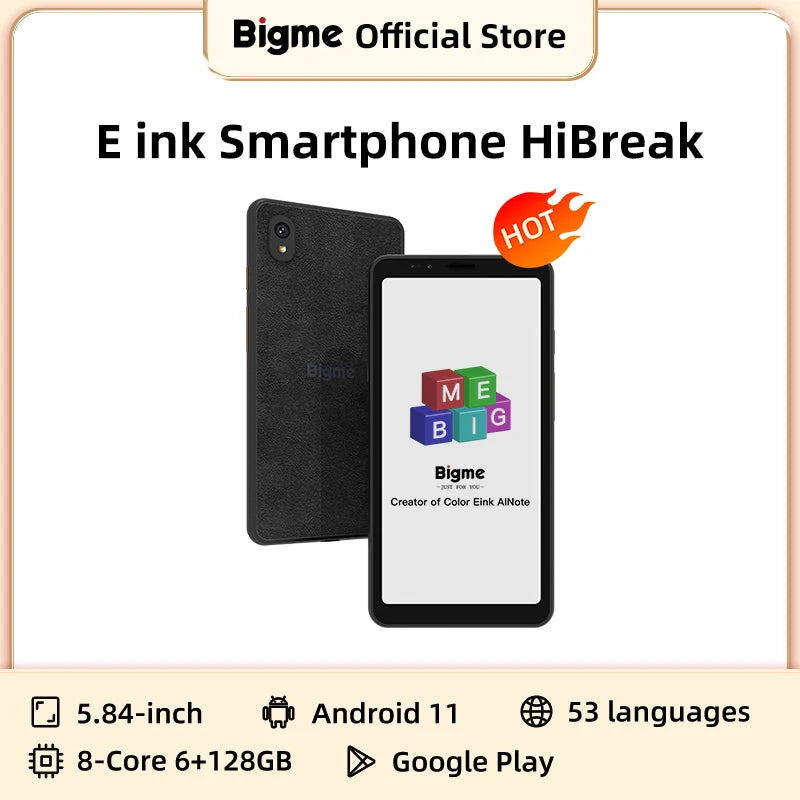
Android E Ink phone features demonstrated in everyday reading and productivity
Ready to explore an eye-friendly Android reading experience?
FAQs About E Ink Displays
Is E Ink display better for eyes than OLED?
Many people find E Ink more comfortable for prolonged reading because it uses reflected ambient light instead of a continuously illuminated display. While no screen completely prevents eye strain, E Ink is often preferred for text-heavy tasks, whereas OLED remains better for multimedia and interactive content.
Does E Ink emit blue light?
An E Ink display itself does not emit blue light in the same way as conventional backlit displays. Devices equipped with an optional front light may produce some light, but it is generally lower than the output of traditional LCD or OLED screens.
How does an E Ink screen work?
E Ink screens contain microscopic capsules filled with positively and negatively charged pigment particles. Electrical signals move these particles to the surface, creating text and images. Once an image is formed, it remains visible without requiring continuous power.
Why does E Ink use less power?
E Ink consumes electricity primarily when the display changes. Because the image remains stable after each refresh, the screen requires very little energy during normal reading, resulting in significantly longer battery life than most conventional displays.
Can color E Ink displays replace LCD screens?
Modern color E Ink technologies have improved substantially, but they still cannot match LCD or OLED displays for color accuracy, refresh speed, or video playback. They are best suited for reading, diagrams, magazines, and light color content rather than entertainment.
How long does an E Ink display last?
E Ink displays are designed for long-term use and typically maintain their functionality for many years under normal operating conditions. Since they generate very little heat and require minimal power to hold an image, they generally have an excellent service life.
What are the biggest disadvantages of E Ink displays?
The primary limitations include slower refresh rates, occasional ghosting, limited color performance on many devices, and reduced suitability for gaming, video playback, and fast-moving applications. These trade-offs are acceptable for many users whose primary focus is reading and productivity.
Pillar Article: E ink android phones: Full review and real-world performance test
Other Related Articles:
Explore More:





