

Dry Eyes Computer Use: Daily Routine That Actually Helps
Does dry eyes computer use really get better with a daily routine?
Dry eyes computer strain improves when daily habits reduce screen stress and support natural tear flow. A simple routine combining breaks, blinking, and gentle heat—like a heated eye mask for dry eyes or a warm compress for eyes—helps restore moisture, boosts eye circulation improvement warmth provides, and eases discomfort caused by long computer sessions.
Dry Eyes Computer Use: Daily Routine That Actually Helps
⏱ 7 min read
Dry eyes computer discomfort is one of those problems many people ignore—until the burning, blurry vision, or headaches become impossible to brush off. If your work, study, or daily life revolves around screens, you may wonder: is there a realistic routine that actually helps tired eyes recover without complicated steps? The answer is yes, and it starts with small, consistent habits that fit into real life.
Between emails, video calls, and late-night scrolling, it’s easy to forget how much strain your eyes absorb every day. Parents, remote workers, and caregivers often push through discomfort, putting eye health last. But caring for your eyes doesn’t have to be complicated or time-consuming.

Dry eyes computer relief starts with consistent habits and gentle warmth 💡 See it in action
Why Computer Screens Trigger Dry Eyes
Dry eyes computer use isn’t just about staring too long. Screens subtly change how your eyes behave, often without you noticing.
- You blink up to 60% less while focusing on screens
- Reduced blinking leads to faster tear evaporation
- Air-conditioned or heated rooms dry the eye surface
- Long focus periods fatigue eye muscles
Over time, this combination leaves eyes feeling gritty, tired, or watery. Many people mistake these signs as “normal,” but they’re signals your eyes need support.
A Simple Daily Routine That Helps
Dry eyes computer relief works best when you combine prevention and recovery. This routine focuses on doing the right things at the right time—before discomfort builds up.
- Prepare eyes before screen time
- Protect eyes during computer use
- Recover eyes with warmth and rest
- Support long-term comfort with consistency
How Gentle Warmth Supports Eye Comfort
Dry eyes computer discomfort often improves with warmth because heat helps unblock oil glands around the eyelids. These glands produce oils that slow tear evaporation.
Using a heated eye mask for dry eyes or a warm compress for eyes encourages:
- Eye circulation improvement warmth delivers
- Better tear film stability
- Relaxation of eye-area muscles
- Faster recovery after screen exposure
Many people notice their eyes feel looser, clearer, and less strained after just 10 minutes of gentle heat.
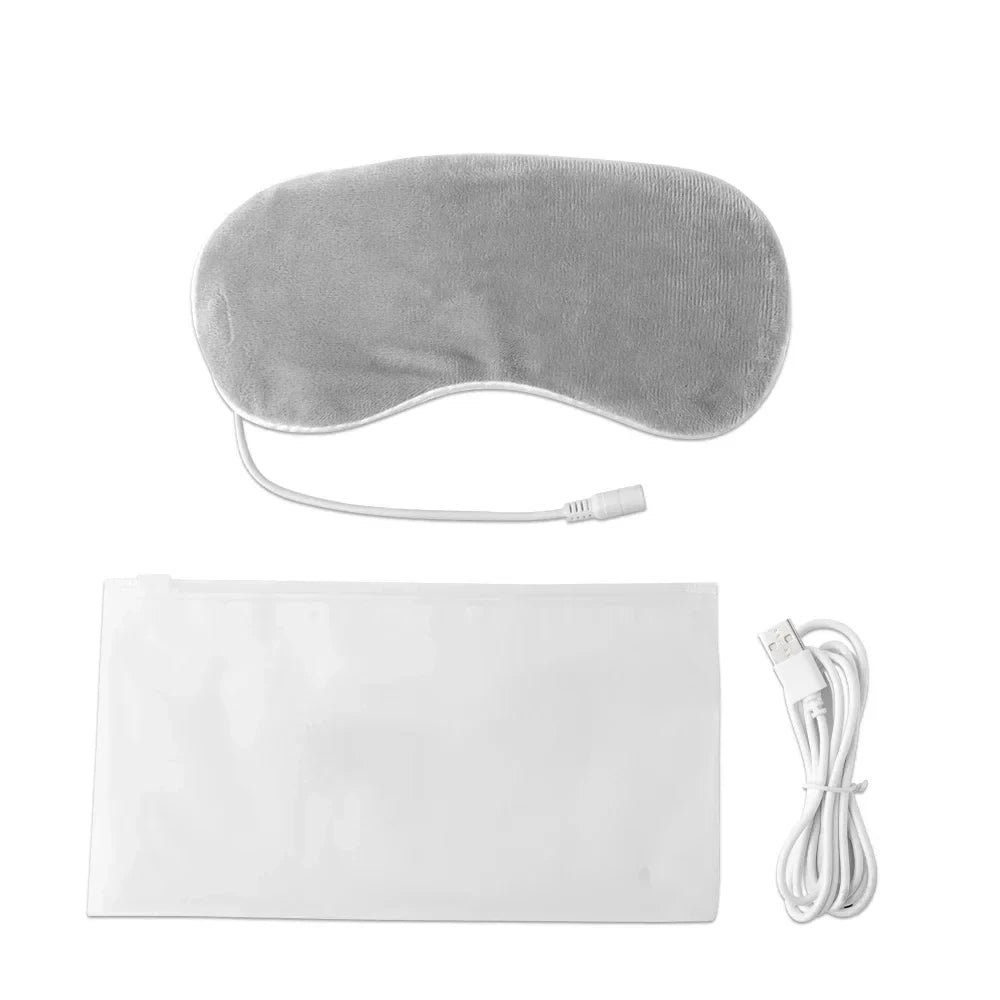
Heated eye mask for dry eyes supports dry eyes computer use recovery 💡 See it in action
Step-by-Step: Your Daily Eye Care Plan
1. Start Your Day With Eye Prep
Before opening your laptop, spend 3–5 minutes preparing your eyes. Blink slowly, roll your eyes gently, and avoid checking your phone immediately after waking.
2. Use Smart Screen Habits
During computer use, follow simple habits:
- Look away every 20 minutes
- Blink fully, not halfway
- Keep screens slightly below eye level
- Reduce glare where possible
3. Recover With Targeted Warmth
After long sessions, apply a warm compress for eyes or a heated eye mask for dry eyes for 10–15 minutes. This step is key for dry eyes computer relief.
4. Wind Down Before Bed
Evening warmth helps eyes recover overnight. Many parents and caregivers pair this with relaxation routines from the Massage & Relaxation collection to unwind fully.
Common Mistakes That Make Dry Eyes Worse
| ❌ Mistake | ✅ Better Choice |
|---|---|
| Ignoring early dryness | Address symptoms daily |
| Overusing eye drops | Support natural tear balance |
| Skipping breaks | Short, regular pauses |
Consistency matters more than intensity. Small daily habits outperform occasional “fixes.”
Who Benefits Most From This Routine
This routine fits anyone whose life revolves around screens, especially:
- Remote workers and students
- Parents managing work and family time
- People in dry indoor environments
- Those sensitive to eye strain
Many readers also explore calming essentials from Beauty & Wellness or comfort-focused items in Sleep & Comfort to support overall recovery.

Warm compress for eyes helps dry eyes computer recovery 💡 See it in action
Frequently Asked Questions
How long does it take to feel relief?
Many people notice reduced dryness within a few days when combining warmth and better screen habits. Full improvement often builds over 2–3 weeks of consistency.
Is warmth safe for daily eye use?
Gentle warmth at comfortable temperatures is generally safe when used as directed and for short sessions.
Can this replace eye drops?
This routine supports natural tear balance but doesn’t replace medical advice. Some people find they rely less on drops over time.
Does this work for severe dry eyes?
Mild to moderate dry eyes computer discomfort often responds well. Persistent or severe symptoms should be discussed with an eye care professional.
Related Guide: Warm Compress for Stye: Step-by-Step Safe Relief at Home





