

How to Extend Baby Monitor Battery Life: 11 Easy Fixes
Does a rechargeable baby monitor battery really last all night?
A rechargeable baby monitor battery can last all night when parents optimize brightness, enable power-saving features, maintain a strong connection, and follow healthy charging habits. Most quality monitors provide enough runtime for overnight use when settings are adjusted correctly, helping parents monitor baby while sleeping with a closed loop monitoring system designed for parents peace of mind monitoring.
Rechargeable Baby Monitor Battery Tips to Last All Night
Rechargeable baby monitor battery performance plays an important role in uninterrupted nighttime monitoring. A monitor that loses power before morning can create unnecessary stress, but many overnight battery problems are caused by settings, placement, or charging habits rather than the battery itself. With the right setup, parents can improve baby monitor battery performance and create a reliable closed loop monitoring system that supports parents peace of mind monitoring throughout the night.
⏱ 7 min read

Rechargeable baby monitor battery supporting parents peace of mind monitoring. See it in action
How Long Does a Baby Monitor Battery Last? Understanding Normal Battery Life
Understanding normal baby monitor battery life helps parents know whether their device is working correctly or experiencing a problem. The answer to how long does a baby monitor battery last depends on the monitor type, screen usage, connection method, and features running overnight.
Most rechargeable baby monitor parent units last around 8–12 hours under typical conditions. Video monitors usually use more power than audio-only models because the display, camera feed, and processing functions require continuous energy.
| Monitor Type | Typical Battery Expectation | Main Power Factors |
|---|---|---|
| Audio baby monitor | Longest runtime | Sound detection and standby activity |
| Video baby monitor | About 8–12 hours depending on settings | Screen brightness, video streaming, night vision |
| Wi-Fi smart monitor | Varies by model and app usage | Wireless connection, notifications, background activity |
A baby monitor battery lasts all night more consistently when parents understand which features consume the most power and adjust them based on nighttime needs.
Why Your Baby Monitor Battery Drains Fast Overnight
When parents ask why baby monitor battery drains fast, the cause is often related to active features running continuously. Modern monitors provide helpful functions, but some settings can significantly increase power consumption during long overnight sessions.
High screen brightness and constant video streaming
A bright display requires more energy than a dimmed or standby screen. Keeping live video active all night can quickly reduce runtime, especially on smaller rechargeable units.
Night vision and infrared camera usage
Infrared LEDs allow parents to see their baby in dark rooms, but night vision requires additional power. Extended nighttime camera use can shorten battery duration.
Weak signal and frequent connection searching
A poor connection forces the monitor to search repeatedly for a stronger signal. This extra communication increases battery usage and can reduce overnight performance.
Background app activity and Wi-Fi features
Smart monitors with apps, notifications, and wireless features may continue using power through background connections. Adjusting unnecessary features can help improve baby monitor battery performance.
Best Settings to Extend Baby Monitor Battery Life
The easiest way to improve how to extend baby monitor battery life is adjusting settings before bedtime. Small changes can reduce power usage while maintaining safe and effective monitoring.
Lower screen brightness and timeout settings
Reduce brightness to the lowest comfortable level and enable automatic screen timeout when available. The camera feed can still remain active while the display uses less energy.
Enable VOX or sound-activated mode
VOX mode, also called sound-activated mode, keeps the screen off during quiet periods and activates when your baby makes noise. This baby monitor power saving mode can significantly extend battery runtime.
Adjust video quality and refresh settings
If your monitor allows video quality adjustments, choose settings that provide clear visibility without using unnecessary processing power.
Turn off unused features
- Disable unnecessary alerts.
- Turn off unused background features.
- Reduce excessive volume levels.
- Use audio-only mode when video is not needed.
These rechargeable baby monitor battery tips help parents balance battery savings with reliable overnight visibility.
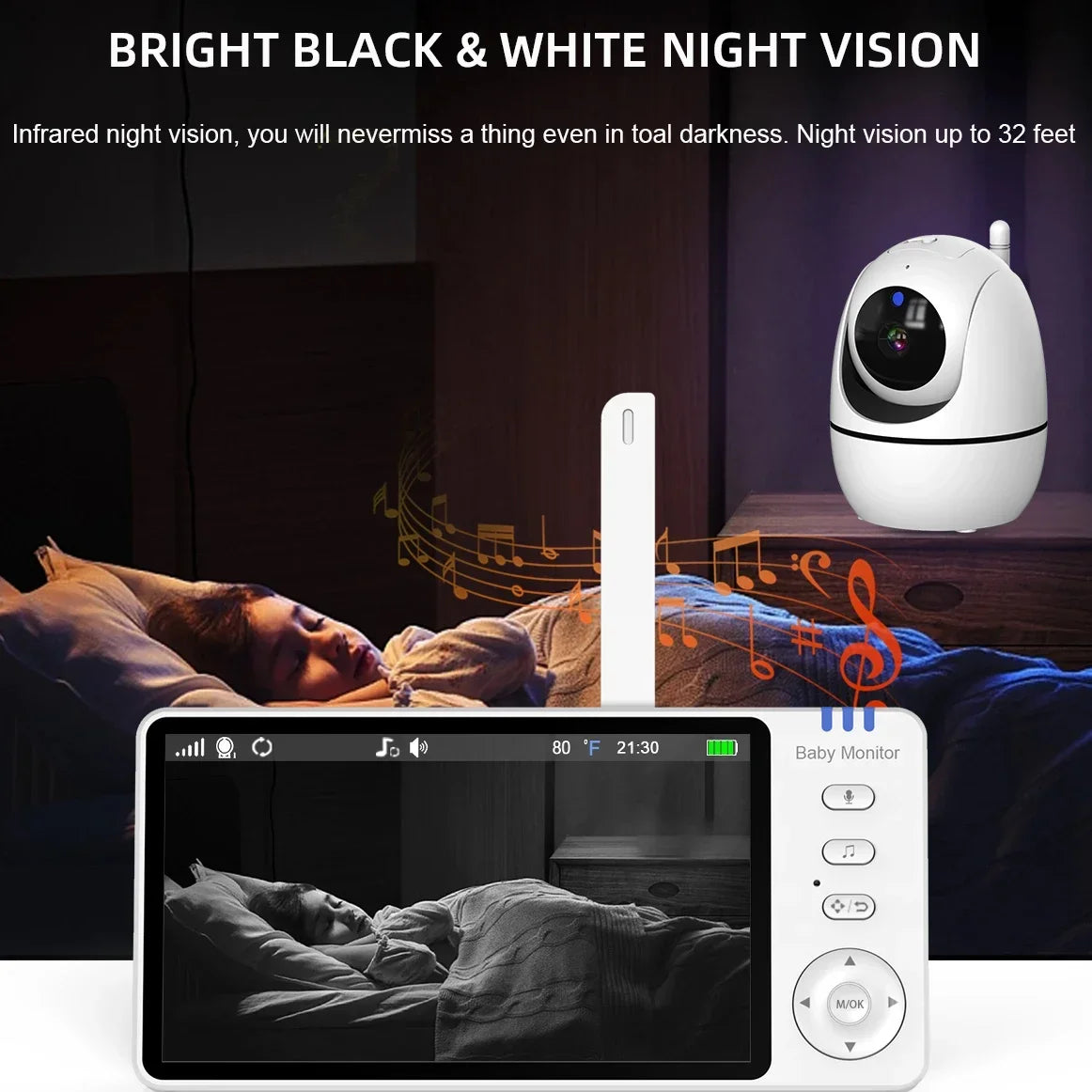
Closed loop monitoring system built for overnight baby sleeping. See it in action
Improve Battery Performance With Better Monitor Placement
Monitor placement affects more than viewing quality. A weak connection can force the device to work harder, reducing battery life. Improving signal strength is a simple way to support a long lasting baby monitor battery.
Keep the parent unit within a strong signal range
Place the monitor where it can maintain a stable connection with the camera. Avoid unnecessary distance between units whenever possible.
Avoid interference from routers and electronics
Large electronics, thick walls, and wireless interference can weaken communication. Keep the monitor away from potential signal obstacles.
Optimize camera placement for efficient connection
- Place the camera in an elevated position.
- Maintain a clear line between camera and parent unit.
- Avoid positioning behind furniture or thick materials.
Parents often combine monitoring setups with items from Sleep & Comfort to create a calm and efficient nursery environment.
Baby Monitor Charging Tips for Longer Battery Health
Proper charging habits protect rechargeable batteries and help maintain consistent performance. The best way to charge baby monitor battery depends on following manufacturer recommendations and avoiding common mistakes.
Use the correct charger and charging cable
Always use the recommended charger to provide the correct power level. Incorrect charging equipment can affect battery health over time.
Avoid overheating during charging
Heat can accelerate battery wear. Charge the monitor in a cool, ventilated location and avoid covering the device while charging.
Follow healthy charging cycles
- Avoid regularly draining the battery completely.
- Recharge before the battery reaches zero.
- Unplug when fully charged if recommended by the manufacturer.
- Store the monitor in a dry place when not in use.
Know when battery replacement is needed
If runtime becomes significantly shorter despite optimized settings, the rechargeable battery may have reached the end of its useful lifespan.
Quick Fix Checklist: Make Your Baby Monitor Battery Last All Night
Use this checklist before bedtime to quickly improve overnight battery performance:
- ✓ Reduce screen brightness.
- ✓ Turn on VOX or sound activation mode.
- ✓ Fully charge the parent unit before sleeping.
- ✓ Move the monitor closer if the signal is weak.
- ✓ Disable unused notifications and features.
- ✓ Check whether night vision settings are necessary.
These quick adjustments solve many common problems when parents need their baby monitor battery lasts all night.
When to Replace a Baby Monitor Battery
Not every battery problem requires buying a new monitor. Sometimes the rechargeable battery simply loses capacity after repeated charging cycles.
Signs your rechargeable battery is aging
- The monitor shuts down much earlier than before.
- Battery percentage drops quickly after charging.
- The device requires frequent daytime charging.
- Runtime does not improve after changing settings.
How battery capacity changes over time
Rechargeable batteries naturally lose capacity with use. A monitor that once lasted all night may eventually provide fewer hours as the battery ages.
Choosing a replacement battery safely
Use manufacturer-approved replacement parts whenever possible. The correct battery type helps maintain safe operation and reliable performance.
A Reliable Overnight Baby Monitoring Setup
A dependable overnight setup combines smart settings, proper placement, and healthy charging habits. Parents do not need to sacrifice visibility to improve battery life. The goal is a balanced system that provides clear monitoring while reducing unnecessary power consumption.
One reliable option is the 5-Inch Video Baby Monitor PTZ HD , designed to support parents peace of mind monitoring with efficient battery management and clear video monitoring.
| Feature | Benefit |
|---|---|
| Rechargeable battery | Supports overnight monitoring without constant cords |
| Eco display mode | Helps reduce unnecessary power usage |
| Closed loop system | Provides stable and secure monitoring |

Monitor baby while sleeping with parents peace of mind monitoring. See it in action
Parents often combine monitoring with essentials from Baby Care Essentials and Health & Safety to build a dependable nighttime routine.
Baby Monitor Battery Life FAQ
How long should a rechargeable baby monitor battery last?
Most rechargeable baby monitor parent units last around 8–12 hours depending on brightness, video usage, signal strength, and power-saving settings.
Why does my baby monitor battery die overnight?
A baby monitor battery may die overnight because of high brightness, continuous video streaming, night vision, weak signal searching, or background wireless activity.
Is it better to use VOX mode to save battery?
Yes. VOX or sound-activated mode can reduce screen usage by keeping the display off during quiet periods while still activating when sound is detected.
Can leaving a baby monitor plugged in damage the battery?
Modern devices include battery protection features, but following manufacturer charging recommendations and avoiding excessive heat can help maintain battery health.
How do I know when my baby monitor battery needs replacing?
If battery runtime remains short after optimizing settings and charging habits, the rechargeable battery may have lost capacity and may need replacement.
Related Guide: Monitor Baby While Sleeping Step by Step for Peace of Mind





