

Handheld Digital Microscopes: Is It Worth USB vs Pro Picks
Best Handheld Digital Microscopes (2026): Top Picks for Inspection & Education
Handheld digital microscopes have quickly become essential tools for electronics repair, coin collecting, STEM education, and field inspection. Unlike traditional laboratory microscopes, these compact devices combine portability with powerful magnification, allowing users to inspect microscopic details anywhere—from a classroom desk to a soldering workstation.
Modern handheld microscopes typically include CMOS sensors, LED ring lighting, and USB or WiFi connectivity so images can be viewed on a computer, tablet, or smartphone. Whether you're examining printed circuit boards (PCBs), analyzing coin surfaces, or introducing children to science exploration, the right handheld microscope makes microscopic observation dramatically easier.
This guide compares the best handheld digital microscopes in 2026, explains magnification ranges and sensor resolution, and helps you choose the right device for electronics inspection, collecting, or education.

Quick Comparison: Best Handheld Digital Microscopes (2026)
| Microscope | Magnification | Sensor | Connectivity | Screen | Best For |
| Plugable USB Digital Microscope | 250x | 2MP CMOS | USB | PC Display | PCB inspection |
| Dino-Lite Edge AM7915MZT | 400x | 5MP | USB | PC Display | professional inspection |
| Jiusion 1000x Digital Microscope | 50x–1000x | 2MP | USB | PC / Android | coin collecting |
| Kentdomom Kids Digital Microscope | Up to 1000x | HD Camera | Standalone / Digital | Built-in Display | STEM education |
Each model above serves a slightly different purpose. Professionals typically prefer USB microscopes connected to a computer for stable imaging, while handheld models with built-in displays work better for education and quick inspections.
If you're exploring microscopes for younger learners, you may also find useful resources in the Baby Growth & Learning Tips section where hands-on educational tools are often discussed.
Top Handheld Digital Microscopes for Different Use Cases
Best Handheld Digital Microscope for PCB Inspection
The Plugable USB Digital Microscope is widely used for electronics repair and PCB inspection because it offers stable imaging through a computer screen and strong LED illumination for highlighting tiny solder joints.
- Magnification up to 250x
- Adjustable LED ring light
- Plug-and-play USB connection
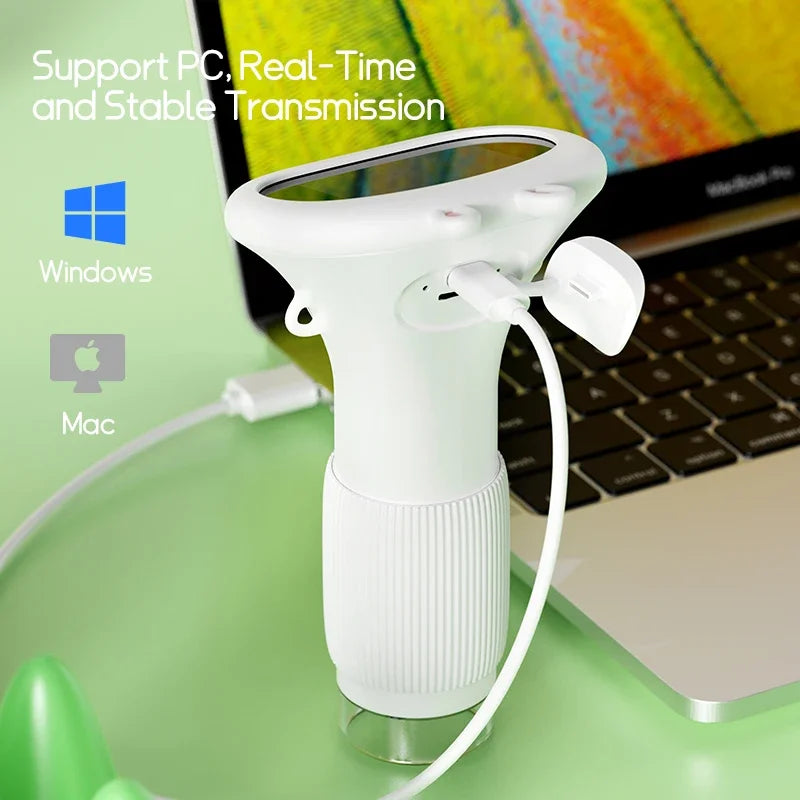
- Compatible with Windows and macOS
Pros
- Stable imaging when mounted on stand
- Good lighting control for circuit boards
- Reliable computer software
Cons
- No built-in display
- Requires a computer
This microscope is ideal for technicians inspecting solder points, microchips, and damaged PCB traces.

Best Handheld Digital Microscope for Coin Collecting
Coin collectors rely on microscopes to inspect mint marks, surface wear, and microscopic scratches. The Jiusion 1000x digital microscope is a popular choice because it combines strong magnification with adjustable focus.
Key Features
- Magnification from 50x to 1000x
- 8 adjustable LED lights
- USB connectivity for computers
- Compatible with Android devices
Pros
- High magnification range
- Affordable for hobbyists
- Good lighting for reflective surfaces
Cons
- Handheld use can introduce motion blur
- Requires steady positioning
This type of microscope allows collectors to examine coin edges, inscriptions, and microscopic minting errors that are impossible to see with the naked eye.
Best Handheld Digital Microscope for Soldering Electronics
Soldering electronics requires a microscope with good working distance—the space between the lens and the object. Models like the Dino-Lite Edge series provide clearer imaging at higher magnifications while leaving enough room for tools.
- Magnification up to 400x
- High-resolution CMOS sensor
- Professional measurement software
- Excellent depth of field
Pros
- Exceptional image clarity
- Great for precision electronics
- High durability
Cons
- Expensive compared with hobby models
- Requires computer connection
For professionals repairing circuit boards, this type of microscope improves accuracy and reduces eye strain during delicate soldering work.
Best Handheld Digital Microscope for STEM Education
For classrooms and beginner science exploration, a simple digital microscope with a camera and built-in lighting works best. The Kids Digital Microscope 1000x with Camera is designed to make scientific observation accessible to young learners.
Children can examine insects, leaves, fabrics, and household objects while capturing photos and videos of their discoveries.
- Magnification up to 1000x
- Built-in LED illumination
- Photo and video capture
- Simple controls for beginners
Pros
- Very easy to use for children
- Encourages curiosity and STEM learning
- Portable and lightweight
Cons
- Not designed for professional inspection
- Lower optical precision than lab microscopes
This microscope is particularly useful for interactive learning activities discussed in the Baby Growth & Learning collection, where hands-on educational tools help develop observation skills.
What Are Handheld Digital Microscopes Used For?
Handheld digital microscopes are versatile tools used across many industries and hobbies.
- Electronics inspection – examining PCBs, solder joints, and microchips
- Coin collecting – identifying mint marks and surface damage
- STEM education – exploring insects, plants, and materials
- Textile inspection – analyzing fabric fibers
- Jewelry inspection – examining gemstones and engravings
The portability of handheld microscopes allows users to perform quick inspections without needing a laboratory microscope setup.
Magnification Explained: True vs Interpolated Magnification
One of the most misunderstood specifications in digital microscopes is magnification. Many manufacturers advertise extremely high magnification numbers, but not all of these represent true optical magnification.
True magnification comes from the microscope’s optical system—the lens physically enlarging the image.
Interpolated magnification occurs when software digitally enlarges the image captured by the sensor. While this can make objects appear larger, it doesn't necessarily improve detail.
Typical Magnification Ranges for Handheld Microscopes
- 50x–250x – ideal for electronics inspection and coin collecting
- 250x–500x – useful for fine soldering or mineral inspection
- 500x–1000x – typically used in educational microscopes
Higher magnification often requires better stabilization and lighting to maintain clear images.
USB vs WiFi Handheld Digital Microscopes
Connectivity determines how you view microscope images.
- USB microscopes connect directly to computers for stable, high-resolution viewing.
- WiFi microscopes transmit images to smartphones or tablets wirelessly.
USB microscopes typically provide lower latency and better image quality, while WiFi models offer greater portability.
Compatibility with Windows, macOS, and Mobile Devices
Most USB microscopes include software compatible with Windows systems. Some also support macOS through universal camera drivers.
Mobile compatibility varies by manufacturer, but many WiFi microscopes include Android or iOS apps that allow image capture and video recording.
Handheld vs Desktop USB Microscopes
Choosing between handheld and desktop microscopes depends largely on your intended use.
- Handheld microscopes are portable and flexible.
- Desktop USB microscopes provide greater stability and precision.
For electronics repair or coin inspection, many users prefer a hybrid approach—using a handheld microscope mounted on a small stand for improved stability.
Buyer’s Guide: How to Choose the Best Handheld Digital Microscope
When comparing microscopes, several specifications determine real-world performance.
Lighting and LED Ring Light Quality
Most handheld microscopes include LED ring lights around the lens. These lights reduce shadows and improve contrast when viewing reflective surfaces such as coins or metal circuits.
Look for adjustable brightness controls to fine-tune lighting conditions.
Working Distance and Focus Control
Working distance refers to the space between the microscope lens and the object being examined. This is especially important for electronics work where tools must fit under the microscope.
Microscopes designed for soldering typically offer larger working distances and smoother focus adjustment.
Tips for Getting Clearer Images with a Handheld Microscope
Because handheld microscopes are lightweight, they can sometimes produce blurry images. These tips help improve clarity:
- Use a small stand or mount to stabilize the microscope
- Adjust LED lighting to reduce glare
- Start at lower magnification before zooming in
- Keep the lens clean and dust-free
For educational use, devices like the kids digital microscope mentioned earlier allow children to capture photos of their discoveries and build observation skills.
If you're exploring more tools that encourage curiosity and safe learning environments, the Health & Safety and Sensory Toys sections provide additional child-friendly products.
Conclusion
The best handheld digital microscope depends largely on how you plan to use it. Electronics technicians often prefer USB microscopes with stable mounts, while hobbyists and collectors benefit from versatile handheld models with adjustable magnification.
For classrooms and home science exploration, beginner-friendly digital microscopes with built-in lighting and cameras make microscopic discovery far more engaging.
If you're introducing young learners to the microscopic world, a simple digital microscope designed for education can transform curiosity into hands-on scientific exploration.
Pillar Article: Best Digital Microscope for Kids: 2026 Parent & STEM Learning Guide





