

Smartphones for Reading Eye Comfort: E-Ink vs OLED Tested
Does an android e ink phone really reduce eye strain?
Yes. An android e ink phone can help reduce eye strain because its paper-like display reflects ambient light instead of shining light directly into your eyes. Compared with conventional LCD and OLED smartphones, E Ink screens produce minimal blue light, reduce glare, and provide a more natural reading experience. While they do not eliminate digital eye fatigue entirely, they can make long reading sessions noticeably more comfortable for children and adults.
Android e ink phone vs regular smartphones: Eye comfort test
An android e ink phone is becoming a popular choice for parents looking to reduce kids screen time causing eye strain while providing a more eye friendly smartphone for children reading, homework, and everyday learning. Unlike traditional smartphones with bright backlit displays, E Ink technology mimics the appearance of printed paper, helping reduce glare and visual fatigue during extended use. But how much difference does it really make, and can an android e ink phone replace a regular smartphone for daily tasks?
⏱ 7 min read
If you've ever noticed your child rubbing their eyes after reading on a phone, complaining about headaches, or struggling to settle before bedtime after screen use, the display technology may be part of the problem. Although healthy screen habits remain essential, choosing a display that's designed for reading can improve overall viewing comfort.
Could switching to a paper-like display be one of the simplest ways to make screen time more comfortable?
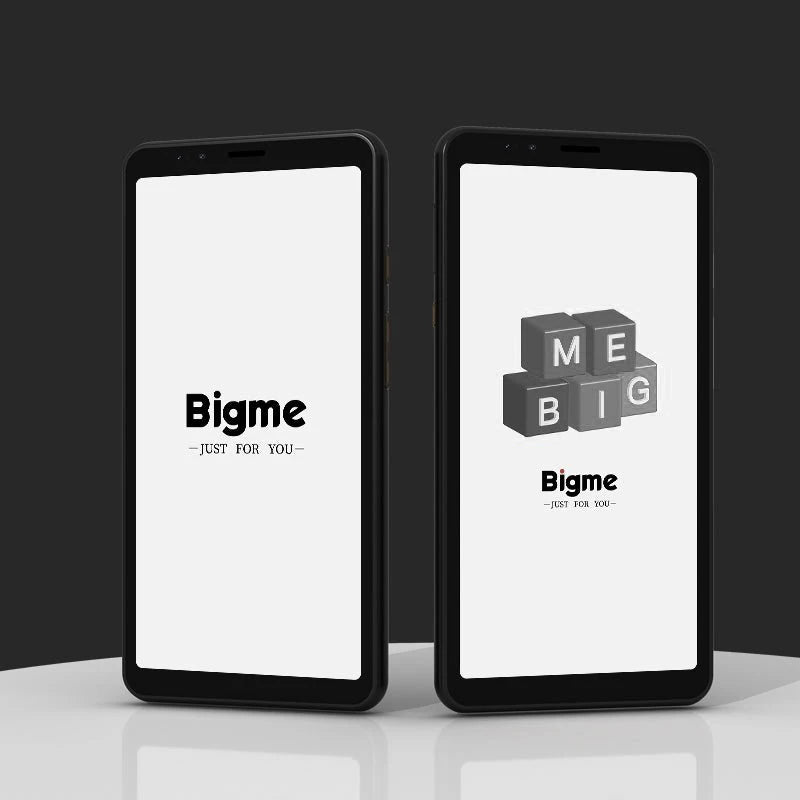
android e ink phone for kids screen time causing eye strain — See it in action
What is an android e ink phone and why it feels like paper?
An android e ink phone combines the familiar Android operating system with an electronic ink display similar to those used in dedicated e-readers. Instead of relying on a constantly illuminated backlight, the screen reflects surrounding light, creating a reading experience that feels much closer to paper.
This difference in display technology offers several advantages for people who spend long periods reading articles, ebooks, PDFs, or study materials.
- Little to no glare in most lighting conditions.
- Minimal blue light exposure compared with conventional smartphones.
- Excellent readability outdoors, even in bright sunlight.
- A calmer viewing experience that may reduce visual fatigue during extended reading.
- Exceptional battery efficiency because power is mainly used when the screen changes.
It's important to remember that no screen can completely prevent eye strain. Regular breaks, appropriate viewing distance, and good lighting remain important. However, for reading-focused activities, many users find an android e ink phone considerably more comfortable than a traditional smartphone.
This makes it especially appealing for families exploring Baby Growth & Learning tools that encourage healthier digital habits while supporting reading and learning.
Eye comfort test: e ink vs regular smartphones
Although every person's eyes respond differently to screen use, the biggest difference between an android e ink phone and a conventional smartphone is how the display produces the image. Traditional LCD and OLED screens emit light continuously, while E Ink displays reflect ambient light much like a printed page. This distinction can make reading for extended periods feel noticeably more comfortable.
| Feature | Android e ink phone | Regular smartphone |
|---|---|---|
| Light emission | Reflective display with no constant backlight | Backlit display that shines light toward the eyes |
| Eye strain during reading | Generally lower for long reading sessions | Can increase with prolonged use and high brightness |
| Blue light exposure | Minimal compared with LCD and OLED displays | Higher, depending on brightness and display settings |
| Reading comfort | Paper-like appearance with reduced glare | Sharper for multimedia but can feel more tiring over time |
| Outdoor visibility | Excellent in bright sunlight | Often reduced by reflections and screen glare |
| Best suited for | Ebooks, articles, PDFs, note-taking, studying | Video streaming, gaming, photography, social media |
For children who regularly read ebooks, complete homework, or review digital study materials, a reflective display may provide a more comfortable viewing experience. While scientific evidence does not show that E Ink prevents eye strain entirely, reducing glare and minimizing blue light exposure can help many users feel less visually fatigued during prolonged reading.
If your child's screen time is focused mainly on reading rather than entertainment, an android e ink phone may offer a more comfortable viewing experience than a traditional smartphone.
android e ink phone pros and cons you should know
✅ Benefits that support eye comfort and focus
- Comfortable for extended reading: The paper-like display reduces glare and makes ebooks, articles, and PDFs easier to read.
- Minimal blue light exposure: Reflective screens help reduce one common source of visual discomfort compared with conventional displays.
- Fewer distractions: The slower refresh rate naturally encourages focused reading instead of constant app switching.
- Excellent battery life: Many E Ink phones can operate for significantly longer between charges because the display uses very little power.
- Outstanding outdoor visibility: Bright sunlight often improves readability instead of washing out the screen.
❌ Limitations to consider
- Slow refresh rates: Fast scrolling, animations, and action videos are less smooth than on standard smartphones.
- Limited color capability: Most models use grayscale displays, while color E Ink remains less vibrant than LCD or OLED.
- Not designed for gaming: Games and fast-moving apps generally perform better on conventional smartphones.
- Some Android apps are less optimized: Applications designed for colorful, high-refresh displays may not provide the best experience.
- Learning curve: New users often need a few days to adjust to the unique display characteristics.
Rather than replacing every smartphone function, an android e ink phone works best as a dedicated reading and productivity device. Many families use it alongside a traditional phone, allowing children to enjoy a more comfortable reading experience while keeping a regular smartphone available for communication, photography, and multimedia.
This approach complements other healthy bedtime and relaxation habits, much like choosing products from the Sleep & Comfort collection to support better daily routines.
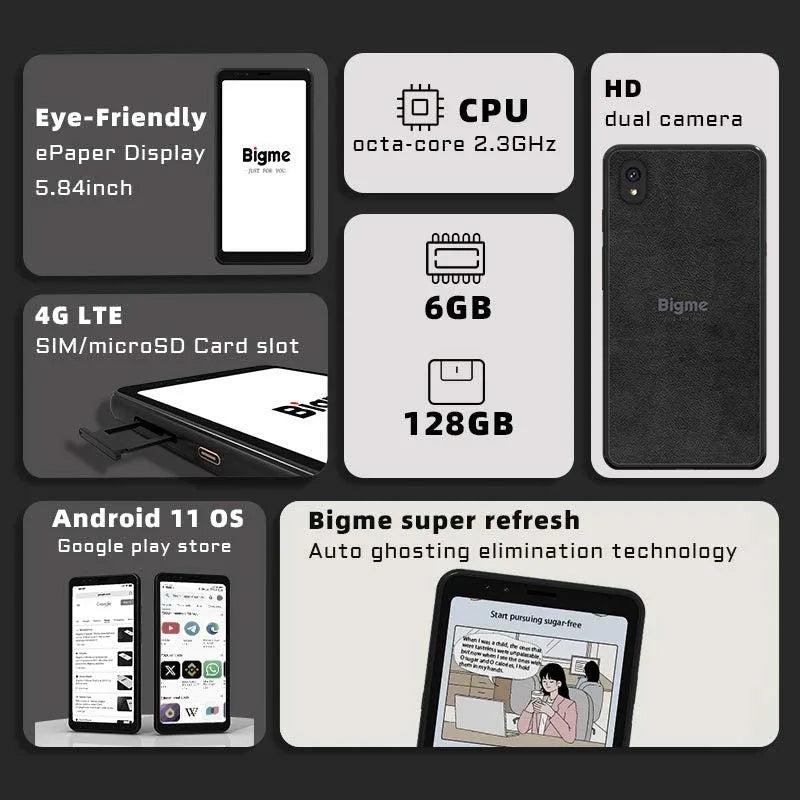
eye friendly smartphone for children reading with reduced glare — See it in action
How this device helps kids read longer without eye fatigue
An android e ink phone is most effective when its strengths match the activity. Rather than replacing entertainment devices, it excels at reading-focused tasks where comfort, concentration, and battery life matter most.
- Daily reading practice: Children can read ebooks, digital library books, and educational articles on a paper-like display that many users find easier on the eyes during longer sessions.
- Homework and study: Fewer visual distractions and a simplified display can help students stay focused while reviewing notes, PDFs, or online assignments.
- Bedtime reading: Because E Ink displays emit little to no blue light compared with conventional smartphone screens, they may be a more comfortable choice for reading before bed. Good sleep habits, including limiting overall screen time, are still recommended.
- Outdoor learning: Unlike many smartphones that become difficult to read in bright sunlight, E Ink displays often become clearer outdoors, making them useful for field trips, travel, and family activities.
Many families also appreciate that an android e ink phone encourages intentional screen use. Instead of constantly switching between games, videos, and notifications, children can focus on reading, learning, and simple productivity tasks.
"My child now spends more time finishing books than switching between apps. The screen feels much closer to reading on paper."
Combining healthier screen habits with relaxation routines can further support overall digital wellness. Parents may also find complementary resources in the Massage & Relaxation collection to encourage balanced daily routines.
Can an android e ink phone replace your regular smartphone?
For most people, the answer is no—but that is not its intended purpose. An android e ink phone is designed to excel at reading, note-taking, and lightweight Android tasks rather than replacing every feature of a modern flagship smartphone.
Many users achieve the best experience by using two devices together:
- Use an android e ink phone for: ebooks, articles, PDFs, note-taking, web browsing, messaging, calendars, and focused study sessions.
- Use a regular smartphone for: video streaming, photography, gaming, navigation, social media, and apps that require fast animations or vibrant color.
This hybrid approach allows families to reduce unnecessary exposure to bright screens during reading without sacrificing the convenience of a conventional smartphone for multimedia and communication.
If your primary goal is improving reading comfort, reducing glare, and encouraging healthier digital habits, an android e ink phone can be an excellent companion device rather than a complete replacement.
How to choose the right android e ink phone for your family
Not every E Ink device offers the same experience. Before buying an android e ink phone, consider how it will be used and which features matter most for your family's daily routine.
- Screen size: Larger displays provide a more comfortable reading experience for ebooks, PDFs, and educational materials.
- Battery life: Choose a model that can last several days between charges to reduce interruptions.
- Android app compatibility: Verify that it supports the reading, productivity, and communication apps your family uses most.
- Build quality: A durable design is especially valuable if children will be using the device regularly.
- Storage capacity: Ensure there is enough space for ebooks, downloaded documents, and offline learning resources.
- Comfort features: Adjustable front lighting (if available), responsive touch controls, and ergonomic design can improve everyday usability.
Explore a carefully designed option here: android e ink phone
It's designed for readers, students, and families looking for a more comfortable alternative to conventional smartphones during extended reading sessions.
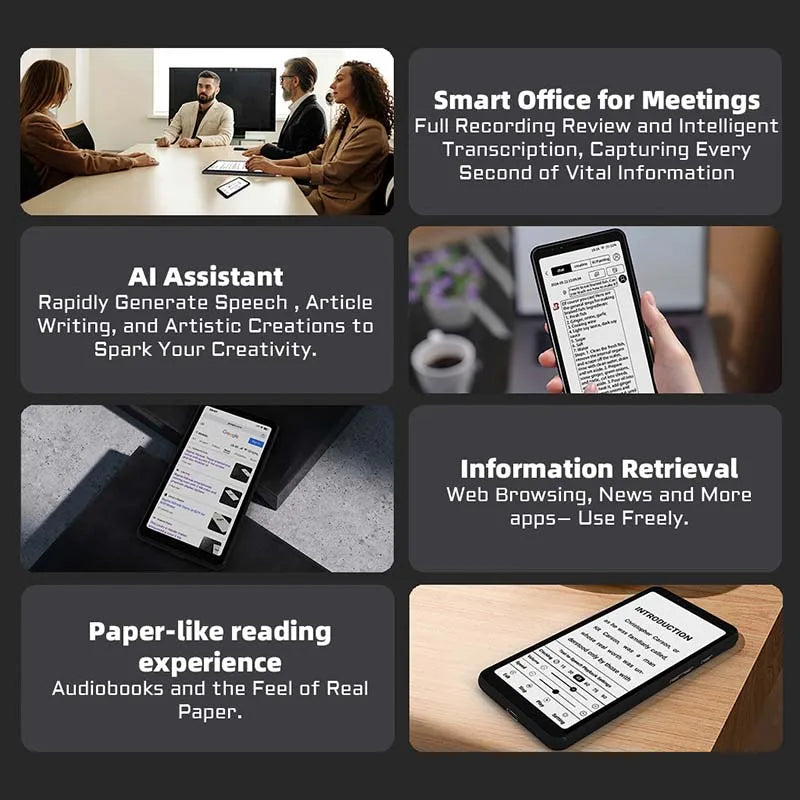
android e ink phone benefits for digital eye comfort — See it in action
Frequently Asked Questions
Is an android e ink phone safe for children's eyes?
An android e ink phone uses a reflective display that produces far less blue light than traditional backlit smartphone screens. While no device can completely prevent eye strain, many users find E Ink displays more comfortable for extended reading. Children should still follow healthy screen habits, including regular breaks and appropriate viewing distances.
Can kids watch videos on an e ink phone?
Yes, but the experience is not ideal. Because E Ink displays have slower refresh rates and limited color reproduction, they are best suited for reading, note-taking, messaging, and lightweight productivity rather than streaming videos or gaming.
Does an android e ink phone completely eliminate eye strain?
No. Eye strain can also result from prolonged near work, poor posture, dry eyes, and insufficient breaks. An E Ink display may reduce glare and blue light exposure, but following the 20-20-20 rule and maintaining healthy screen habits remain important.
Is it worth buying for families?
If your family's primary goal is to create a more comfortable reading experience and reduce exposure to bright smartphone displays, an android e ink phone can be an excellent investment. It is particularly useful for children who spend significant time reading ebooks or educational content.
Who benefits most from an android e ink phone?
Students, avid readers, professionals who review documents, and parents looking to encourage focused reading rather than entertainment are among the users who typically benefit the most from an E Ink smartphone.
Can an android e ink phone replace an e-reader?
For many users, yes. An android e ink phone combines the paper-like reading experience of an e-reader with Android functionality, allowing access to ebooks, note-taking apps, messaging, calendars, and other productivity tools in one portable device.
Pillar Article: Best android e ink tablet vs LCD: Full comparison guide
Other Related Articles:
- E ink phone comparison: Top minimalist models reviewed
- Compact e ink tablet vs Kindle: Best lightweight option
- Android e ink reader review vs tablets: Reading performance
- Phone e ink vs E Ink smartphone: Which is better for reading
Explore More:





