

Best E Ink Tablet for Kids That Keeps Them Reading Longer
Is a compact e ink tablet better than a Kindle for lightweight reading?
For many families, a compact e ink tablet offers more flexibility than a Kindle because it combines comfortable reading with note-taking, PDF support, and educational tools in one lightweight device. While Kindle remains an excellent choice for dedicated ebook reading, a compact e ink tablet is often the better option for parents, students, and children who need a distraction-conscious device for both reading and learning.
Compact e ink tablet vs Kindle: Best lightweight option
Choosing between a compact e ink tablet and a Kindle is no longer just about reading ebooks. Many parents now want a lightweight device that supports digital books, school PDFs, handwriting, and focused learning without the constant distractions found on traditional tablets. Understanding how these devices differ can help you decide which best fits your family's reading habits, travel needs, and educational goals.
⏱ 6 min read
Whether you're shopping for yourself or looking for an e ink tablet for kids , the right device should balance portability, reading comfort, and practical features without adding unnecessary complexity.
Which lightweight reader delivers the best experience for reading, learning, and everyday productivity? Let's compare the options.
Curious how a single device can replace your reader, notebook, and study companion?
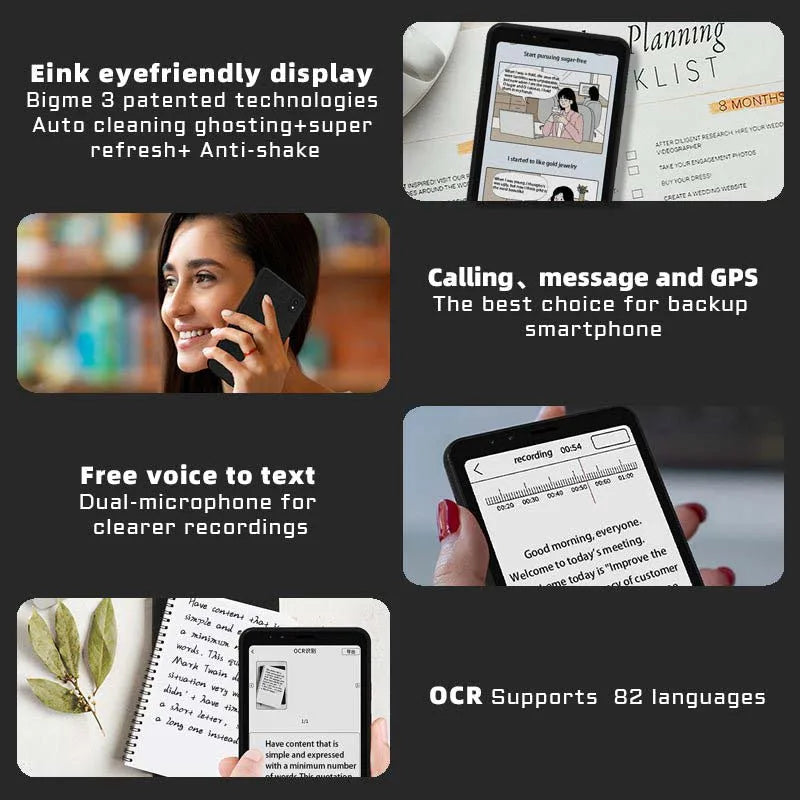
Compact e ink tablet for daily reading and productivity. See it in action.
Compact e ink tablet vs Kindle comparison
Both devices use E Ink technology to provide a paper-like reading experience, but they are designed for different needs. A Kindle focuses on effortless ebook reading, while a compact e ink tablet expands beyond books with handwriting, document annotation, and broader file compatibility. For parents choosing a device for children or students, these additional capabilities can make a significant difference.
| Feature | Compact e ink tablet | Kindle |
|---|---|---|
| Best for | Reading, notes, PDFs, and learning | Dedicated ebook reading |
| Writing support | Available on many models with stylus support | Limited to select premium models |
| PDF handling | Advanced viewing, zooming, and annotation | Basic document viewing |
| Learning use | Supports school materials, planners, and study notes | Best for recreational reading |
| Portability | Compact, lightweight, and travel friendly | Very lightweight and easy to carry |
| Distraction level | Generally lower than traditional tablets while offering more flexibility than Kindle | Minimal distractions with a reading-focused interface |
Why compact e ink tablets are becoming the go-to lightweight device
- Reduces eye strain: Gentle display mimics paper
- Combines multiple tools: Reader, notebook, and light communication
- Minimal distractions: No overwhelming notifications
- Portable for busy parents: Fits easily into diaper bags or purses
For parents juggling routines, fewer devices mean less clutter and more focus—especially during quiet reading time.
Explore more wellness-friendly tools in Beauty & Wellness for everyday comfort.
Want a distraction-free reading upgrade for daily use?
How a compact e ink phone fits into daily life
Unlike a Kindle, some compact e ink tablets double as a compact e ink phone for daily use , making them surprisingly practical.
Real-life scenarios
- Reading bedtime stories without blue light exposure
- Checking messages without getting distracted by social media
- Reviewing documents during nap time
- Taking notes while managing household tasks
Many parents report spending 30–50% less screen time when switching to e ink devices for daily tasks.
Compact e ink phone for daily use and reading See it in action
Why compact e ink tablets improve e ink reader PDF workflows
PDFs often include complex layouts, diagrams, worksheets, and handwritten notes that can be difficult to read on a basic ebook reader. A compact e ink tablet is designed to handle these documents more efficiently, making it a practical choice for students, parents, and professionals who regularly work with digital files.
Compared with many dedicated ebook readers, compact E Ink tablets typically offer:
- Smoother zooming and page navigation for large documents.
- Stylus support for highlighting, annotations, and handwritten notes on compatible models.
- Improved rendering of textbooks, worksheets, and multi-column PDFs.
- Faster page refresh options that create a more responsive reading experience.
These capabilities make an e ink tablet for reading PDF documents particularly useful for:
- School assignments and classroom handouts.
- Parenting books and educational guides.
- Digital planners and journals.
- Business reports and research papers.
- Reference manuals and technical documentation.
Pair this with tools from Baby Growth & Learning to create a more organized and focused learning environment at home.
Best reading setup for kids digital devices
An e ink tablet for kids can provide a dedicated reading experience while supporting age-appropriate educational activities. Unlike general-purpose tablets, many E Ink devices are designed to prioritize books, note-taking, and document reading over entertainment, helping children stay focused on learning tasks.
Why families choose E Ink devices
- Paper-like displays that remain comfortable during extended reading sessions.
- Fewer distractions than conventional tablets with entertainment-focused apps.
- Support for ebooks, library loans, worksheets, and PDF learning materials.
- Handwriting features on compatible models for practicing notes, spelling, or drawing.
Rather than relying solely on claims about reduced blue light, the biggest educational advantage is that E Ink devices encourage sustained reading and minimize unnecessary interruptions. This can help children build stronger reading habits and concentrate on homework or independent study.
Complement this setup with calming routines from Sleep & Comfort for better bedtime habits.
Pros and cons: what parents and readers should consider
✅ Advantages of compact e ink tablets
- Combines ebook reading, handwritten notes, and PDF annotation in one lightweight device.
- Supports a wider range of document formats for school, work, and personal reading.
- Encourages focused reading with fewer distractions than conventional tablets.
- Comfortable for extended reading sessions thanks to a paper-like display.
- Suitable for families who want one device for reading, studying, and note-taking.
❌ Limitations of compact e ink tablets
- Screen refresh is slower than LCD or OLED tablets, making animations less fluid.
- Many models use grayscale displays rather than full color.
- Premium note-taking features may require a stylus purchased separately.
- Advanced features can take longer to learn than a dedicated ebook reader.
✅ Advantages of Kindle devices
- Simple interface designed primarily for reading books.
- Excellent battery life with minimal maintenance.
- Large ebook ecosystem with easy access to Kindle titles.
- Easy for younger readers or users who only want an ebook reader.
❌ Limitations of Kindle devices
- Basic support for PDFs and document annotation compared with E Ink tablets.
- Limited productivity features for school or professional workflows.
- Restricted flexibility outside the Kindle ecosystem.
- Not the best choice for users who regularly work with handwritten notes or educational documents.
How to choose the right lightweight reading device
- Identify the primary purpose. Choose a Kindle for dedicated ebook reading or a compact E Ink tablet if you also need note-taking and document support.
- Consider who will use it. Children, students, and families often benefit from handwriting and PDF capabilities, while casual readers may prefer Kindle's simplicity.
- Evaluate document compatibility. If school assignments, planners, or research papers are part of your routine, prioritize strong PDF performance.
- Think about portability. Lightweight devices are easier to carry during travel, commuting, and everyday family activities.
- Compare long-term value. A multifunction E Ink tablet may reduce the need for separate notebooks or reading devices over time.
If your priority is reading novels with minimal setup, a Kindle remains an excellent option. If you want a lightweight device that supports reading, learning, note-taking, and PDF workflows, a compact E Ink tablet offers greater versatility for everyday use.
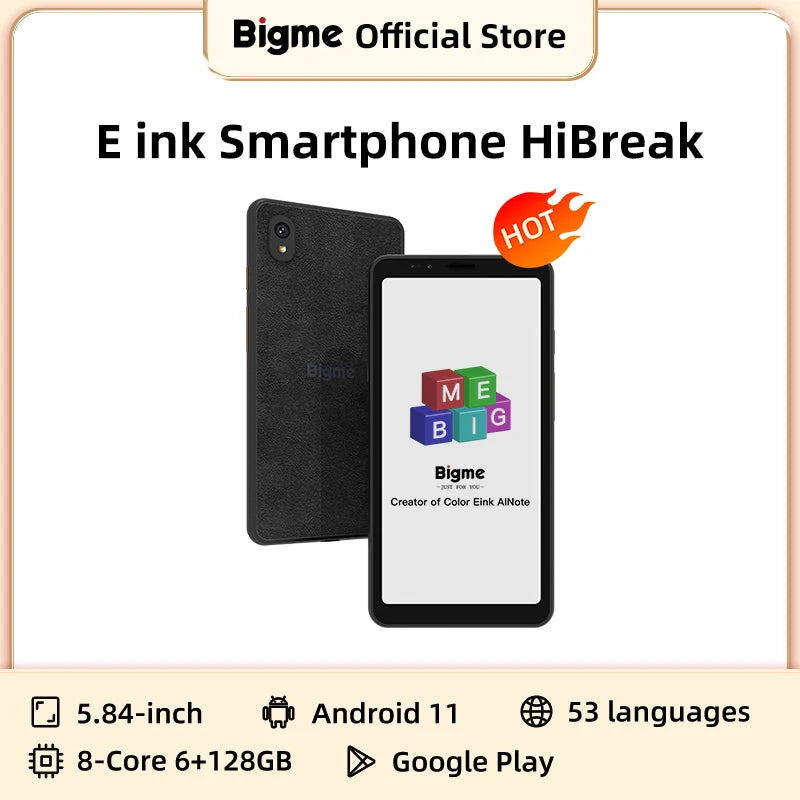
Lightweight E Ink tablet for reading, studying, and everyday learning. See it in action.
Ready to simplify reading, studying, and everyday organization?
E Ink Tablet Buying Guide for Parents
Screen size and portability
Choose a screen size that matches your child's reading habits. A 6- to 7-inch lightweight e reader device is easy to carry for travel and recreational reading, while 8- to 10-inch models provide a larger workspace for textbooks, PDFs, and handwritten notes.
Stylus quality and handwriting recognition
If note-taking is important, look for an E Ink tablet with responsive stylus support, palm rejection, and reliable handwriting recognition. These features are especially valuable for older students who annotate assignments or organize class notes.
Storage, formats, and PDF support
Ensure the device supports the file formats your family uses most, including EPUB and PDF. Strong PDF performance, searchable notes, and adequate storage make an e ink tablet for reading PDF documents much more practical for school and everyday use.
Battery life and accessories
Most E Ink devices last significantly longer than conventional tablets on a single charge. Compare battery performance, charging options, protective cases, and stylus availability when evaluating long-term value.
Parental controls and durability
Families with younger readers should consider durable construction, protective covers, and available parental controls where supported. Selecting a device that matches your child's age and learning needs helps maximize both usability and longevity.
FAQs
Are E Ink tablets good for kids?
Yes. An e ink tablet for kids can support focused reading, digital library books, school documents, and handwritten practice while offering fewer distractions than many conventional tablets. The best choice depends on the child's age, reading level, and educational needs.
Is an E Ink tablet better than Kindle for children's reading?
For families who only need an ebook reader, Kindle remains an excellent option. If children also need note-taking, PDF support, or school-friendly features, an E Ink tablet generally provides greater flexibility and long-term value.
Can kids use E Ink tablets for school PDFs and notes?
Yes. Many E Ink tablets provide better PDF navigation, annotation, and handwriting support than traditional ebook readers, making them suitable for worksheets, textbooks, study guides, and classroom materials.
Are E Ink tablets better for eyes than regular tablets?
E Ink displays use reflective technology that creates a paper-like reading experience without the constant backlighting used by most LCD and OLED screens. Many readers find them more comfortable during extended reading sessions, although individual preferences and lighting conditions still matter.
What is the best lightweight E Ink reader for travel?
A lightweight E Ink reader should balance portability, battery life, display quality, and document support. Frequent travelers who mainly read novels may prefer a compact Kindle, while those who also review PDFs or take notes may benefit more from a compact E Ink tablet.
Pillar Article: Best android e ink tablet vs LCD: Full comparison guide
Other Related Articles:
- Android e ink phone vs regular smartphones: Eye comfort test
- E ink phone comparison: Top minimalist models reviewed
- Android e ink reader review vs tablets: Reading performance
- Phone e ink vs E Ink smartphone: Which is better for reading
Explore More:





