

eReader vs Phone: Which Is Better for Reading in 2026?
Is a phone e ink better for reading than a regular smartphone?
Yes. A phone e ink is generally better for reading than a regular LCD or OLED smartphone because its paper-like display reflects ambient light instead of emitting it directly. This design minimizes glare, reduces blue light exposure, and helps decrease eye fatigue during extended reading sessions. Although E Ink phones are slower and usually display grayscale content, they deliver exceptional battery life and a distraction-free reading experience that many book lovers, students, and professionals prefer.
Phone E Ink vs E Ink Smartphone: Which Is Better for Reading?
⏱ 7 min read
Choosing between a phone e ink device and a traditional smartphone can dramatically change your reading experience. Whether you're reading ebooks, PDFs, articles, or study materials, the right display affects eye comfort, battery life, focus, and overall usability. In this guide, you'll learn how E Ink technology compares with conventional smartphone screens, who benefits most from an E Ink phone, and whether it's the right choice for your daily reading habits.
Which screen is actually more comfortable for long reading sessions? If your eyes feel tired after spending hours reading on a bright smartphone display, you're not imagining it. Display technology plays a major role in visual comfort, especially when reading for extended periods during the day or before bedtime.
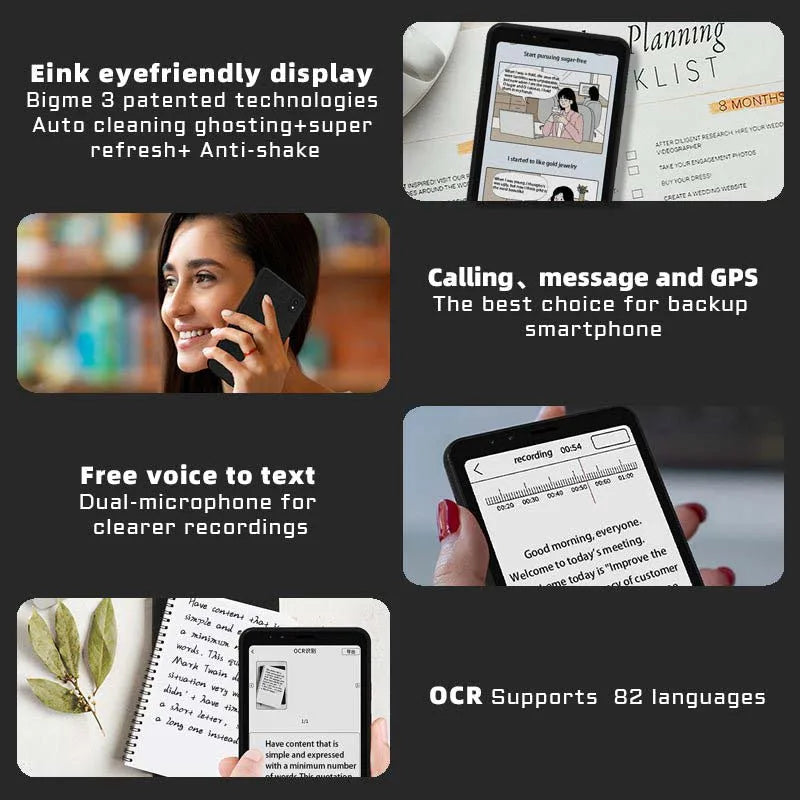
Phone E Ink delivers a paper-like display for comfortable, distraction-free reading.
Curious how eye-friendly screens can improve everyday reading?
Discover a smarter reading experience with a phone e ink device
What is an E Ink phone and how does it work?
An E Ink phone is a smartphone that uses an electronic paper display instead of a conventional LCD or OLED screen. Unlike traditional displays that emit light directly toward your eyes, E Ink technology reflects ambient light, creating a reading experience that closely resembles printed paper.
This technology was originally developed for dedicated e-readers, but modern E Ink smartphones combine that comfortable display with smartphone features such as messaging, note-taking, web browsing, and Android app support. For readers who spend hours consuming digital content, this balance can provide a more focused and less fatiguing experience.
Compared with standard smartphones, a phone e ink offers several advantages for reading:
- ✅ Paper-like display with reduced glare
- ✅ Minimal blue light exposure during daytime reading
- ✅ Comfortable for long reading sessions
- ✅ Excellent battery efficiency thanks to low power consumption
- ✅ Fewer visual distractions than colorful, high-refresh displays
While E Ink phones are not designed for fast-paced gaming or high-quality video playback, they excel at ebooks, documents, articles, note-taking, and distraction-free reading. Their slower refresh rate is a worthwhile trade-off for users who prioritize visual comfort over multimedia performance.
Many families also explore resources from Health & Safety to build healthier screen habits, and an E Ink device can complement those efforts by encouraging more mindful reading and reduced digital fatigue.
E Ink vs OLED vs LCD: Which display is best for reading?
E Ink displays are designed specifically for comfortable reading, while OLED and LCD screens prioritize color, animation, and multimedia performance. If your primary activity is reading ebooks, articles, PDFs, or long documents, an E Ink display typically offers the most comfortable experience because it produces less glare, minimal blue light, and a paper-like appearance. OLED and LCD screens remain excellent for video, gaming, and photography but can become more visually fatiguing during extended reading sessions.
How E Ink works
E Ink technology uses microscopic capsules containing electrically charged black and white pigments. When electrical signals are applied, these pigments move to create text and images. Because the display only consumes significant power when changing the screen, battery life is dramatically longer than conventional smartphone displays.
The screen reflects ambient light instead of emitting it directly, making outdoor readability excellent while reducing the harsh brightness often associated with traditional smartphones.
OLED vs E Ink for eye comfort
OLED displays deliver outstanding contrast, vibrant colors, and smooth animations. However, their self-emitting pixels can appear overly bright during prolonged reading, particularly at night or in dark environments. LCD displays rely on a constant backlight, which can also contribute to glare and visual fatigue for some readers.
E Ink displays refresh more slowly but provide a distraction-free reading environment that closely resembles printed paper, making them especially well suited for long reading sessions.
| Feature | E Ink Display | OLED Display | LCD Display |
|---|---|---|---|
| Eye Comfort | Excellent (paper-like) | Good | Moderate |
| Blue Light Exposure | Very low | Moderate to high | High |
| Outdoor Readability | Excellent | Good | Fair |
| Battery Life | Days to weeks | Around 1–2 days | Around 1 day |
| Refresh Speed | Slow | Very fast | Fast |
| Best Use | Reading and documents | Video, apps, gaming | General smartphone use |
Memory in Pixel vs E Ink explained
Some reflective displays use Memory in Pixel (MIP) technology, which is commonly found in sports watches and low-power devices. MIP retains an image while consuming very little power and refreshes faster than E Ink. However, it still behaves more like a traditional display and does not replicate the paper-like reading quality of E Ink.
For extended reading sessions, E Ink remains the preferred technology because it offers higher text readability, lower perceived glare, and a more book-like viewing experience.
Many readers also combine eye-friendly displays with healthy evening routines from Sleep & Comfort to create a more comfortable bedtime reading environment.
Pros and cons of E Ink phones
An E Ink phone is designed for readers who want smartphone functionality without the constant visual stimulation of a traditional display. Like any technology, it comes with advantages and trade-offs. Understanding these differences helps you decide whether an E Ink smartphone fits your reading habits and daily workflow.
Advantages for readers
- ✅ Paper-like reading experience: The reflective display feels closer to reading a physical book, making long sessions more comfortable.
- ✅ Exceptional battery life: Low power consumption allows many E Ink phones to last much longer than regular smartphones between charges.
- ✅ Reduced visual fatigue: Lower glare and minimal blue light exposure can make extended reading more comfortable.
- ✅ Fewer distractions: A simpler interface encourages focused reading instead of endless scrolling and notifications.
- ✅ Better outdoor readability: Unlike many bright smartphone screens, E Ink displays remain clear in direct sunlight.
Limitations to consider
- ❌ Slower refresh rate: Screen changes are slower, which can affect scrolling, animations, and fast interactions.
- ❌ Limited color: Most E Ink phones are optimized for grayscale reading rather than colorful media.
- ❌ Not ideal for video or gaming: Traditional smartphones provide a much better experience for streaming, gaming, and social media.
- ❌ Fewer high-performance features: Some E Ink devices prioritize efficiency over processing power and camera performance.
The right choice depends on your priorities. If your main goal is reading books, studying documents, reducing screen distractions, or improving everyday screen comfort, an E Ink phone can be a strong option. If you frequently watch videos, play games, or need the fastest smartphone experience, a regular OLED or LCD phone may be more practical.
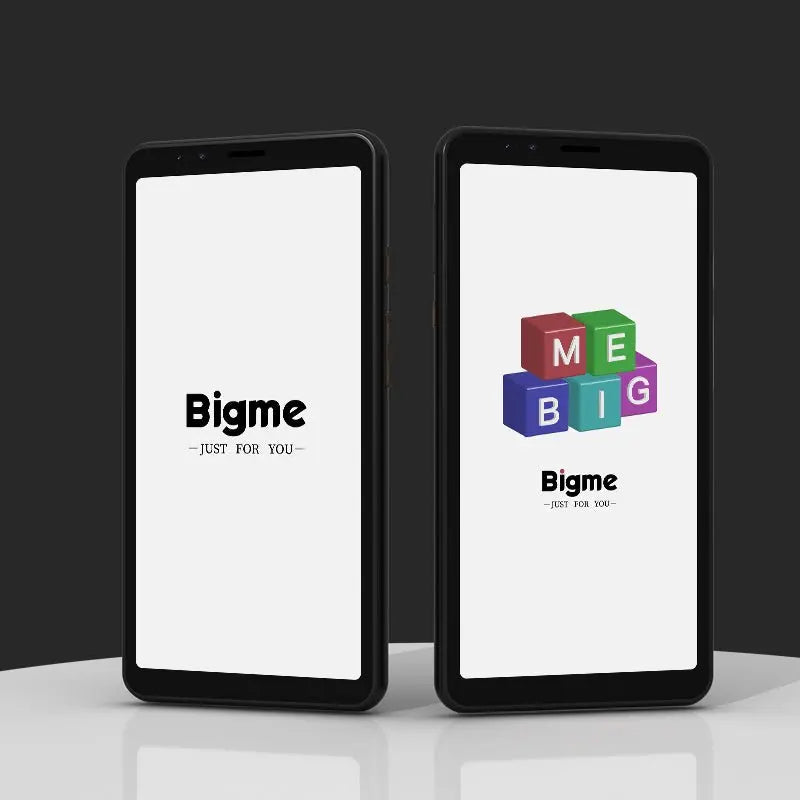
E Ink display vs OLED eye comfort comparison for daily reading and focused screen use
Want to reduce eye strain while building better reading habits?
Best E Ink phones for reading
The best E Ink phones for reading depend on how much smartphone functionality you need. Some users want a simple distraction-free reading device, while others prefer an E Ink smartphone that supports apps, communication, and everyday tasks.
| Device Type | Best For | Key Benefits |
|---|---|---|
| Basic E Ink Phone | Readers and minimalists | Simple interface, long battery life, distraction-free reading |
| Smart E Ink Device | Families and students | Reading apps, messaging, and balanced smartphone features |
| Hybrid Device | Power users | Combines E Ink reading with traditional display performance |
When comparing an E Ink smartphone, consider screen size, front lighting, Android compatibility, storage capacity, and whether the device supports your preferred reading apps. Dedicated readers may prefer simplicity, while families often benefit from a device that balances reading with essential digital tools.
Many parents combine these devices with tools from Smart Baby Gadgets to create a healthier digital environment at home.
How to choose between an e-reader, an E Ink phone, and a regular smartphone
The best reading device depends on your daily habits, budget, and how much smartphone functionality you need. An E Ink phone sits between a dedicated e-reader and a traditional smartphone, offering a balance of comfortable reading and essential digital features.
Choose an e-reader if...
- ✅ Your main priority is reading books, PDFs, and documents
- ✅ You want the longest battery life possible
- ✅ You prefer a distraction-free device designed only for reading
- ✅ You do not need messaging, calls, or smartphone apps
Choose an E Ink phone if...
- ✅ You want smartphone features with a more comfortable reading display
- ✅ You read frequently but still need apps, communication, and internet access
- ✅ You want to reduce distractions from a bright OLED or LCD smartphone
- ✅ You prefer one device for reading and essential daily tasks
Choose your regular phone if...
- ✅ You need high-speed performance for video, gaming, and social media
- ✅ You rely on advanced cameras and colorful displays
- ✅ Reading is only an occasional activity
Before buying, consider your reading habits, preferred apps, screen size, storage requirements, and whether you usually read indoors or outdoors. A dedicated e-reader may provide the purest reading experience, while an E Ink smartphone offers more flexibility for users who want comfort without carrying multiple devices.
For busy parents and professionals, combining mindful reading habits with relaxation tools from Massage & Relaxation can support a more balanced digital routine.
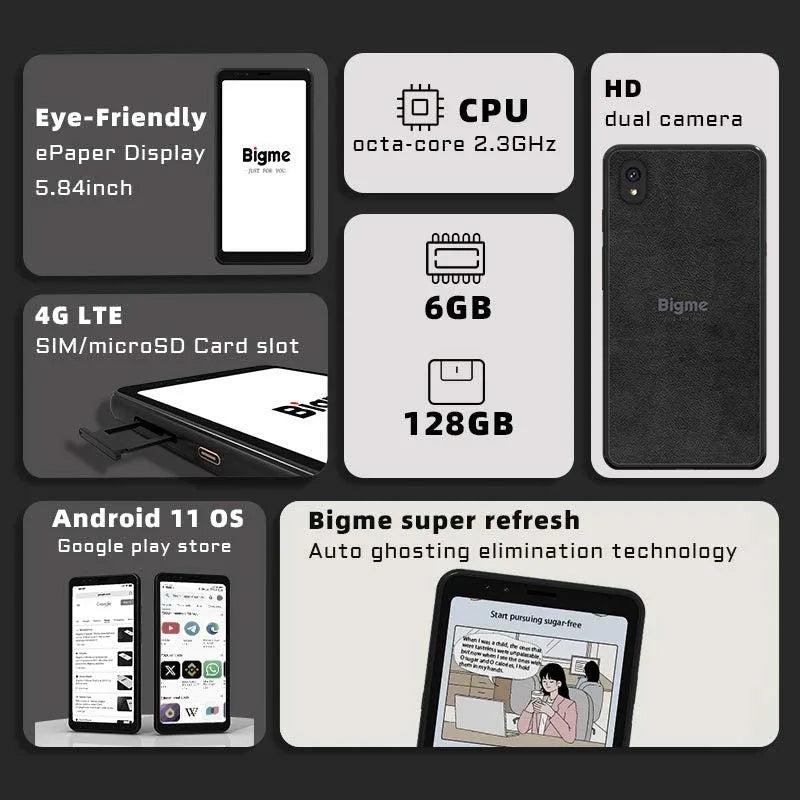
best E Ink smartphones for reading and distraction-free digital experiences
Ready to upgrade your reading experience?
FAQs
Are E Ink phones better for eyes than OLED phones?
E Ink phones are often more comfortable for extended reading because they use a reflective display that looks more like printed paper. Unlike OLED screens, which emit light directly from each pixel, E Ink reduces glare and creates a softer viewing experience. However, eye comfort also depends on lighting conditions, reading habits, font size, and personal sensitivity.
Can an E Ink phone replace a Kindle or other e-reader?
Yes, an E Ink phone can replace a dedicated e-reader for many users, especially those who want reading apps, messaging, and smartphone features in one device. However, dedicated e-readers may still offer larger screens, simpler interfaces, and a more focused reading experience for people who read many books every day.
What is the difference between an E Ink phone and an e-reader?
An E Ink phone combines an electronic paper display with smartphone features such as apps, communication, and web access. A traditional e-reader is designed mainly for books and documents, with fewer distractions and longer battery life. The best choice depends on whether you value smartphone flexibility or a dedicated reading environment.
Can I read comfortably on an OLED phone?
Yes, OLED phones can still provide a comfortable reading experience when brightness is adjusted, night modes are enabled, and screen settings are optimized. However, compared with E Ink, OLED displays are more focused on vibrant colors and fast performance rather than a paper-like reading experience.
Is OLED or E Ink better for reading at night?
E Ink is usually preferred by readers who want a more natural paper-like display at night, especially when using front lighting at comfortable brightness levels. OLED can also work well with dark mode and blue light reduction settings, but it remains a self-emitting display rather than a reflective one.
Do E Ink phones support popular reading apps?
Many modern E Ink smartphones support Android applications, allowing users to access popular ebook platforms, document readers, and note-taking tools. Before buying, check app compatibility, storage capacity, and operating system support to ensure the device matches your reading needs.
Which E Ink phone is best for reading books?
The best E Ink phone for reading depends on your priorities. Readers who want maximum comfort should look for a device with a high-quality E Ink display, adjustable front lighting, good battery life, and support for preferred reading apps. Users who need more smartphone functionality should choose an E Ink smartphone that balances reading features with everyday performance.
For more guidance on creating a comfortable digital reading setup, explore resources such as How to reduce eye strain from screens, along with related comparisons covering display technology and reading devices.
Pillar Article: Best android e ink tablet vs LCD: Full comparison guide
Other Related Articles:
- Android e ink phone vs regular smartphones: Eye comfort test
- E ink phone comparison: Top minimalist models reviewed
- Compact e ink tablet vs Kindle: Best lightweight option
- Android e ink reader review vs tablets: Reading performance
Explore More:





