

Learning Math App Features That Actually Improve Results
Does a learning math app really improve results?
A quality learning math app can improve results when it combines instant feedback, short daily practice, adaptive difficulty, and game-based motivation. Children often learn faster than with worksheets alone because mistakes are corrected immediately, progress is visible, and repetition feels fun instead of frustrating.
Learning Math App Features That Actually Improve Results
⏱ 8 min read
Many parents wonder why homework battles happen even when their child is trying. Often, the issue is not effort—it is the tool. The right learning system can turn confusion into confidence. Below, we break down which features truly help children master multiplication, stay engaged, and build long-term math skills.
Quick question: Is your child stuck memorizing facts but forgetting them the next day? Read on.

💡 See it in action - learning math app / wooden math toys vs digital learning apps, interactive multiplication games for classroom learning, best multiplication games for kids at home, kids lose interest in math worksheets
Why Some Apps Work Better Than Others
A strong learning math app improves performance by turning passive practice into active learning. Instead of guessing on paper, children receive guidance in seconds, repeat weak areas automatically, and celebrate milestones that keep motivation high.
Many children lose momentum because math worksheets feel repetitive. When kids lose interest in math worksheets, practice becomes rushed, emotional, or avoided completely.
- Worksheets usually give delayed feedback.
- Errors can repeat for days before correction.
- Progress feels invisible.
- Practice rarely adjusts to skill level.
By contrast, interactive tools can shorten practice time while increasing quality.
Features That Actually Improve Results
1. Instant Feedback Builds Correct Habits
If a child answers 7 × 8 incorrectly, immediate correction prevents repeated mistakes. This helps memory form around the right answer the first time.
2. Adaptive Levels Prevent Boredom
When tasks are too easy, children disengage. Too hard, they quit. Good apps gradually raise difficulty based on performance.
3. Short Daily Sessions Beat Long Weekly Sessions
Ten focused minutes a day often works better than one stressful hour on Sunday night.
4. Rewards That Encourage Effort
Badges, streaks, and unlocks can motivate children to return consistently—especially during multiplication practice.
5. Parent Progress Tracking
Parents need to know whether extra practice is helping. Clear reports show speed, accuracy, and confidence trends.
| Feature | Why It Matters |
|---|---|
| Instant Feedback | Corrects mistakes quickly |
| Adaptive Practice | Keeps challenge balanced |
| Gamified Rewards | Improves consistency |
| Reports | Shows real progress |
Wooden Math Toys vs Digital Learning Apps
Families often compare screen-based tools with tactile learning. Both can be valuable when used correctly.
| Option | Best For | Possible Limitation |
|---|---|---|
| Wooden Math Toys | Hands-on counting, early learners, sensory learning | Limited tracking and fewer levels |
| Digital Learning Apps | Speed drills, repetition, progress reports | Needs balanced screen habits |
For many families, the smartest path is combining both. Use tactile tools to understand concepts, then use digital drills for fluency.
Try pairing practice with Baby Growth & Learning resources that support everyday skill building at home.
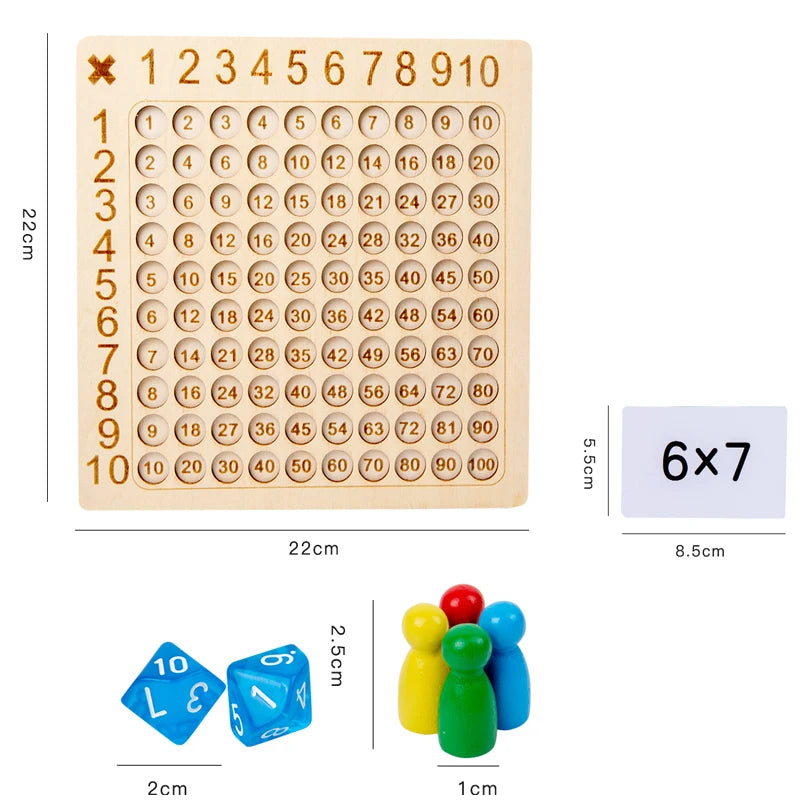
💡 See it in action - learning math app / wooden math toys vs digital learning apps, interactive multiplication games for classroom learning, best multiplication games for kids at home, kids lose interest in math worksheets
Best Multiplication Games for Kids at Home
At home, children respond best to simple, repeatable games with clear wins.
- Beat the Clock: Solve five facts before the timer ends.
- Treasure Levels: Earn points after each correct streak.
- Family Challenge: Parent vs child rounds for fun pressure-free practice.
- Mixed Review: Blend old facts with new ones for retention.
These formats are often more effective than asking a tired child to finish another worksheet after dinner.
Interactive Multiplication Games for Classroom Learning
Teachers need systems that engage many students at once while supporting different ability levels.
- Live quizzes with team scores
- Independent stations with tablets
- Fast warm-up rounds before lessons
- Progress ladders for weekly goals
Interactive multiplication games for classroom learning can reduce anxiety because practice feels collaborative rather than high-pressure.
For calm learning environments at home, many parents also explore Sleep & Comfort and Sensory Toys to improve focus routines.
How to Choose the Right Option for Your Child
Pick tools based on the obstacle your child faces:
- Low confidence: Choose easy wins and visible rewards.
- Slow recall: Choose timed repetition and spaced review.
- Bored easily: Choose unlockable levels and variety.
- Needs hands-on learning: Add physical manipulatives.
Many parents report stronger homework routines once practice shifts from arguments to short predictable sessions.
Real-world example: A child practicing 10 minutes nightly may complete more quality repetitions in one week than during a month of reluctant worksheet sessions.
Why a Hands-On Tool Still Stands Out
A tactile option remains powerful because children can see and touch number relationships. This often reduces frustration, especially for visual learners who need concrete examples before abstract memorization.
- Builds number sense
- Supports independent play
- Great for younger siblings entering math
- Pairs well with app-based review
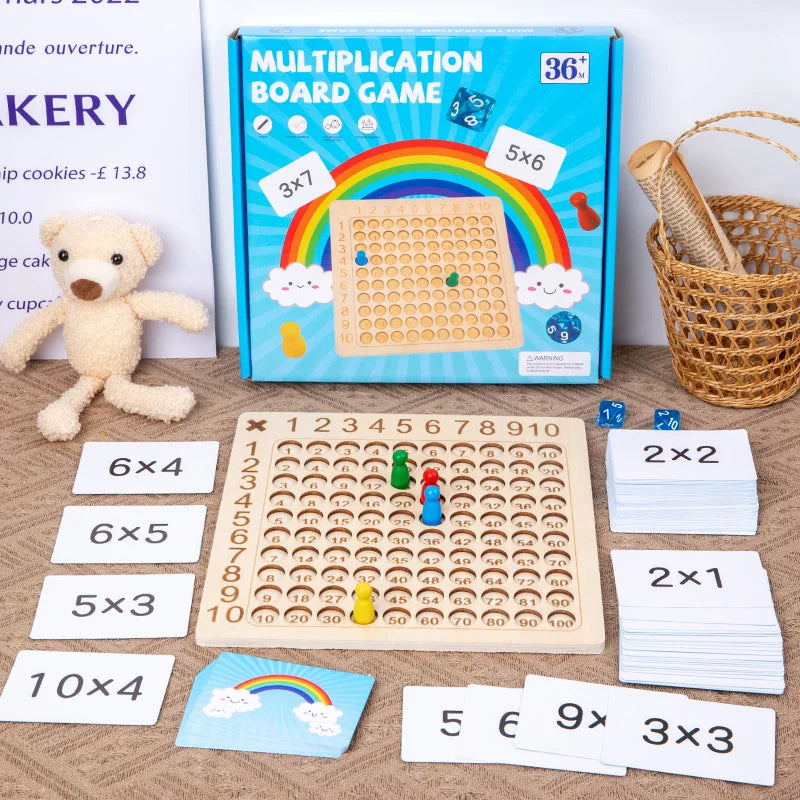
💡 See it in action - learning math app / wooden math toys vs digital learning apps, interactive multiplication games for classroom learning, best multiplication games for kids at home, kids lose interest in math worksheets
Final Thoughts
The best learning math app is not the one with the flashiest graphics. It is the one that creates daily consistency, gives fast feedback, and keeps your child trying. Add a hands-on tool, and results can improve even faster.
Get the Montessori Wooden Math Learning Toy Set now
Mini FAQ
How long should kids use a learning math app each day?
Usually 10–15 focused minutes is enough for consistent gains, especially for multiplication facts.
Are apps better than worksheets?
Not always, but apps often win on motivation, instant correction, and consistency.
Should I combine digital and physical tools?
Yes. Many children learn concepts better with hands-on tools, then build speed with digital review.
What if my child hates math?
Start with short sessions, easy wins, and game-based practice to rebuild confidence first.
Pillar Article: Math Learning Tools That Build Skills Faster for Kids
Other Related Articles:
Explore More:





