

Does a flashlight and camera watch really help prevent kids from getting lost?
Short answer: A flashlight and camera watch can help prevent kids from getting lost by combining location tracking, quick two-way communication, and real-world context (photos/video) to speed reunions and reduce panic. It’s most effective when paired with clear family rules, safety training, and attention to privacy and device security. prevent kids from getting lost works best as one tool in a broader plan.
⏱ 14 min read
Prevent Kids From Getting Lost: Best Use Cases for Active Families
Worried about crowded parks, busy airports, or that one toddler who loves to wander? You’re not alone. Parents want tools that protect independence without turning every outing into a leash. This guide matches real-world needs to practical tech — like a flashlight and camera watch with GPS — so you can keep adventures safe, calm, and fun. Below you'll find clear scenarios, product fit, how-to setup tips, and honest trade-offs from parent tests and expert guidance.
Curious how smart wearables fit into a safety-first kit? Learn the basics and compare options below.
Why this matters
Kids explore. That’s their job. But exploration in crowds or public spaces increases the chance of separation, and separation is one of the clearest parental stressors. Modern wearable tech — GPS-enabled watches with cameras and two-way communication — aim to give parents timely location data and kids a simple way to call home. Used right, they shorten search time and lower anxiety for both sides.
Authoritative safety resources still emphasize supervision, preparation, and teaching kids basic info — devices help, but they don’t replace practice and planning. :contentReference[oaicite:0]{index=0}
When to use a GPS + camera watch (short list)
- Busy public events (fairs, parades, festivals) where visibility is low.
- Airports, large train stations, or unfamiliar transit hubs.
- Family trips where kids can be briefly unsupervised (restroom breaks, line waits).
- Older kids gaining independent mobility (walking to a friend’s house, short errands).
Quick answer: How it helps prevent kids from getting lost
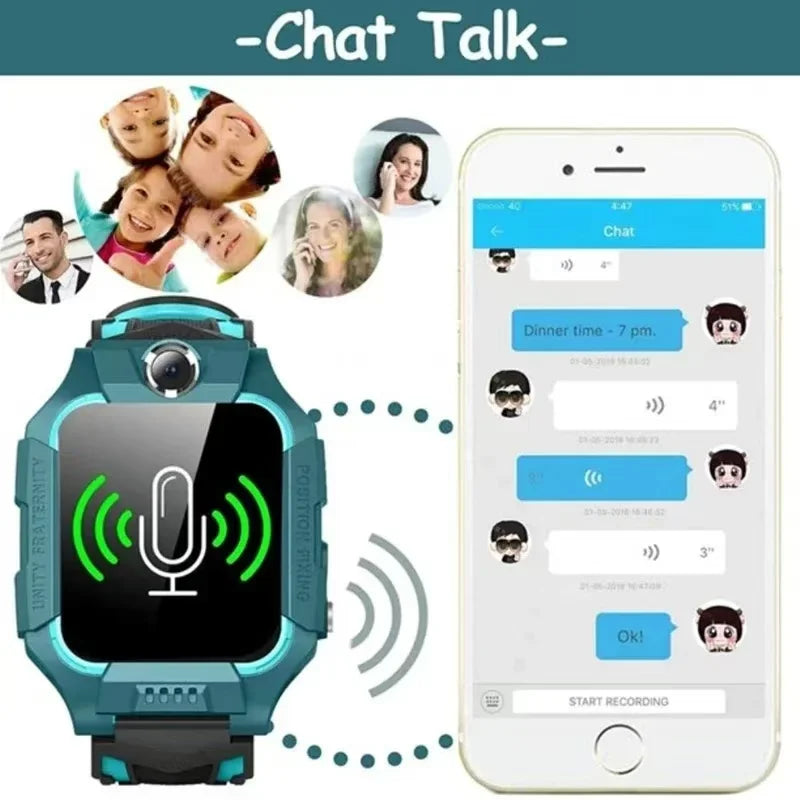
A GPS watch with a camera prevents kids from getting lost by combining three things: reliable location updates, an easy SOS/two-way voice link so a child can call for help, and quick visual context (photo/video) to confirm surroundings. That reduces time-to-reunion and helps rescuers know what to look for faster.
Direct product to try: kids 4g smart watch - GPS SOS camera
prevent kids from getting lost • parent gps tracker app • 💡 See it in action
Top use cases (detailed examples)
1. Playground & Park: quick recoveries for roaming toddlers
Situation: Your 3-year-old ducks behind a play structure and follows a squirrel. You look away, they’re gone for 30 seconds — enough to panic.
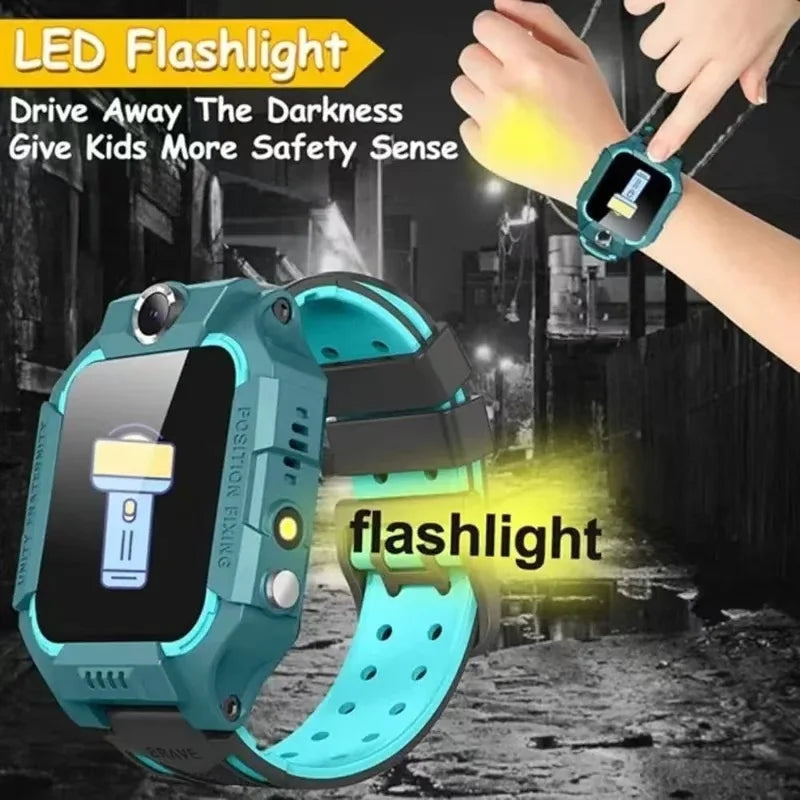
- How the watch helps: Instant location ping and a bright flashlight on the watch so you can spot them in dim pockets of the play area. A two-way voice call lets you speak calmly and guide them back.
- Why the camera matters: A quick selfie or photo from the child’s watch can show which section of the playground they’re in, or whether they ran toward the restroom area.
- Tip: Teach kids to press the SOS button and to call a family member if they can’t find you.
2. Airports & Transit: reconnect quickly in crowded terminals
Situation: Long security lines, noisy announcement boards — your older preschooler wanders toward a toy kiosk, you turn to check bags, and they slip away.
- How the watch helps: Location updates plus geofencing alerts (set zones like “Terminal A”) trigger a notification the moment the child leaves the allowed area. Two-way voice or video calls let you confirm the child is safe and where they are.
- Best practice: Put a travel meeting point into the app and rehearse it so the child knows where to wait if separated.
- Privacy note: Use secure apps and strong passwords — public spaces increase the risk of bad actors if the device’s backend isn’t secure. :contentReference[oaicite:1]{index=1}
3. Travel & Theme Parks: manage independence while minimizing risk
Situation: At a theme park, kids split up to ride different attractions. You want them to explore but still be findable.
- How the watch helps: Real-time tracking + SOS and voice features reduce search time. Cameras can verify a child’s condition and surroundings (are they queuing, sitting near a kiosk, etc.).
- Tip: Add several trusted contacts in the watch app so staff can call parents if they find a lost child. Add a meeting spot and time as—
4. Walking to school or short errand runs
Situation: Older kids start walking short routes. You want them to have responsibility but still want an emergency fallback.
- How the watch helps: Scheduled tracking checks and two-way communication let kids call home quickly. Geofencing notifies parents when the child arrives or leaves a designated area.
- Behavioral win: Use the watch as a teaching moment — test it together so the child learns to call and use the device correctly.
How to choose the right watch & parent gps tracker app
Not all trackers are created equal. These are the features that most affect real-world performance:
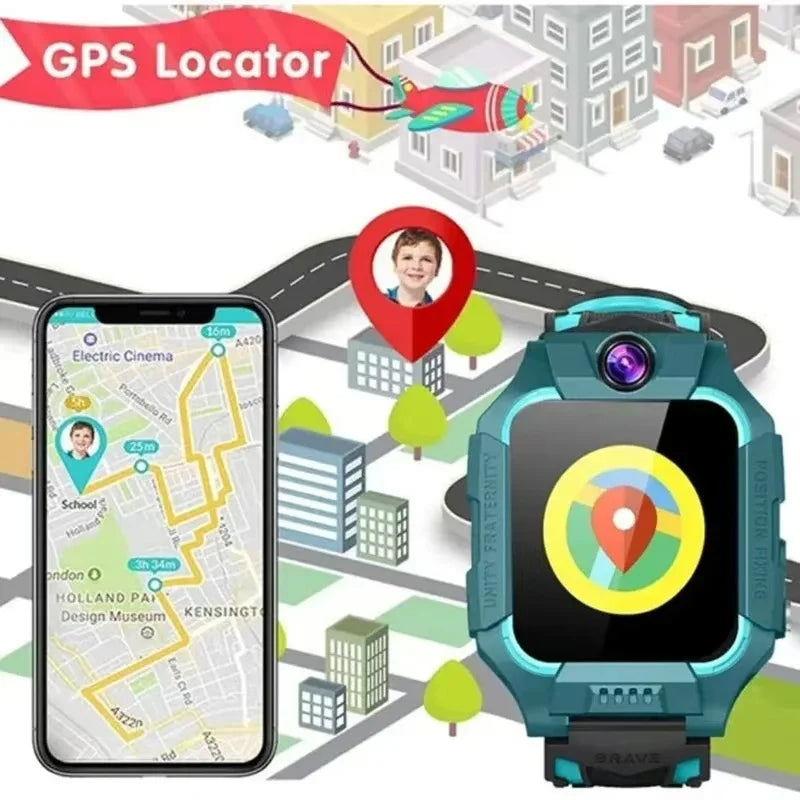
- Location accuracy: GPS accuracy varies — expect 10–50 meters in good conditions; watches that combine GPS, Wi-Fi and cellular triangulation perform better in urban/dense settings. :contentReference[oaicite:2]{index=2}
- Two-way communication: Voice calls and quick voice messages are critical because kids may be too anxious to type or navigate menus.
- Camera & flashlight: Cameras provide context; flashlights help find kids in shaded/low-light areas.
- Battery life: Longer battery life reduces false alarms; some watches offer power-saving tracking modes.
- Security & privacy: Look for encrypted communication, reputable backend providers, and clear privacy policies. Studies have found vulnerabilities in multiple brands — choose vendors with recent, public security audits. :contentReference[oaicite:3]{index=3}
- App usability: A parent gps tracker app that’s simple, responsive, and supports multiple caregivers is essential.
- Durability & comfort: Waterproofing and a snug, comfortable strap increase real-life usability for active kids.
prevent kids from getting lost • parent gps tracker app • 💡 See it in action
Setup & Safety Best Practices (how to use the device safely and responsibly)
Gear alone won’t solve separation risk. Combine tech with teaching and planning:
- Teach a simple script: The child should know their full name, your phone number, and where to meet (e.g., “Find the information desk” or “Stand by the blue fountain”).
- Practice the SOS button: Run drills at home so kids know what pressing SOS does and what to expect when someone answers.
- Set geofences and alerts: Use the app’s safe-zone features to get instant notifications if your child leaves a pre-approved area.
- Secure the account: Use a strong password, enable two-factor authentication for the app, and keep firmware up-to-date. Poor security has led to hacks and privacy breaches in the past — always check a brand’s security record. :contentReference[oaicite:4]{index=4}
- Establish privacy rules: Decide together when camera use is allowed; in some public settings the camera may be disabled for privacy or legal reasons.
- Backup plan: Leave a removable ID card in the child’s pocket with contact info in case the device battery dies.
Real parent reviews & mini case studies
Parents who test wearables consistently report three outcomes: faster reunions, reduced anxiety, and occasional tech frustrations (battery, positioning, or app glitches). Here are anonymized mini-cases drawn from parent reports:
Case: Fast reunion at a busy fair
Situation: A 5-year-old wandered into a vendor alley. The parent checked the app, pinged location, and used two-way voice to guide the child back; reunion occurred in under 3 minutes. The watch camera confirmed the child was by the cotton candy stand. Quick visual context cut search time dramatically.
Case: Airport confusion solved
Situation: At baggage claim, a child became separated during a restroom stop. The parent used the app’s geofence and the watch’s SOS; the child waited at the pre-arranged meeting spot and a staff member reached them. Parents praised the predictable meeting plan and the watch’s rapid two-way call.
Case: Privacy wake-up call
Situation: A family discovered the manufacturer’s cloud stored older location logs for longer than expected. They switched to another vendor and deleted the account. This reinforces why checking privacy policy & data retention is important. :contentReference[oaicite:5]{index=5}
✅/❌ Pros & Cons (short)
| Pros | Cons |
|---|---|
| Real-time location updates and fast two-way contact | Accuracy varies by environment (10–50m typical), can be misleading in urban canyons. :contentReference[oaicite:6]{index=6} |
| Camera + flashlight provide context and visibility | Privacy risks if backend is insecure; check vendor security history. :contentReference[oaicite:7]{index=7} |
| Geofencing automates alerts | Battery life may be limited if tracking frequently; plan charging. |
| Encourages independence with safety guardrails | May create over-reliance — balance tech with teaching and supervision. :contentReference[oaicite:8]{index=8} |
Comparison: key features that matter when you buy
| Feature | Why it matters | What to check |
|---|---|---|
| GPS + Wi-Fi + Cellular | Better accuracy in varied environments | Look for hybrid positioning and fast fix times. |
| Two-way voice | Essential for calm, direct communication | Test call clarity and latency before relying on it. |
| Camera | Provides visual confirmation of surroundings | Confirm image quality and whether photos can be sent to parent app. |
| Geofencing & Alerts | Automates boundary notifications | Check alert settings, multiple caregivers support. |
| Security & Privacy | Protects child data and location history | Find brands with encryption and clear retention policies. :contentReference[oaicite:9]{index=9} |
| Battery life | Reliable uptime for outings | Aim for a full day under typical use or fast top-up charging. |
Who to trust & further reading
Independent safety organizations and child-focused outlets emphasize that trackers are tools not solutions. For practical safety advice, check resources from pediatric and child-safety groups. Reports have documented real security flaws in some kids’ smartwatches; prioritize vendors who publish security updates and who use encrypted backends. :contentReference[oaicite:10]{index=10}
Where to try one (BOFU)
If you’re ready to try a flashlight + camera watch, start small: test it on short errands, verify the app notifications, try geofence alerts, and test SOS drills. For a product example, see the kids 4g smart watch - GPS SOS camera product page for specs and availability.
Compare features, test the app, and rehearse safety drills to ensure the device integrates with your family routine.
Pairing the watch with other safety items
Think of the watch as one part of a layered safety kit. Other helpful items include water-resistant ID labels, a small silicone wrist ID, and basic first-aid training. For more related tools, check Monitoring Devices or Smart Baby Gadgets in our collection list.
- Monitoring Devices — trackers, monitors, and camera-style helpers for parents.
- Smart Baby Gadgets — gadgets that make outings easier and safer.
Security checklist before everyday use
- Change default passwords and use a unique password for the app.
- Enable app-level two-factor authentication if available.
- Review the device privacy policy for location data retention and sharing.
- Update firmware regularly; check vendor security notices.
- Limit who can contact the child via the app (only trusted caregivers).
A 5-step family test plan (quick)
- Charge the device fully and pair with the parent gps tracker app.
- Test location pings in home, garage, and outside to see accuracy variance.
- Practice SOS and two-way calls at home until your child is comfortable.
- Set a geofence and validate you receive alerts when the watch crosses it.
- Perform a blind test: have a caregiver hide at a safe distance and practice locating the child using the app and watch camera.
prevent kids from getting lost • two way communication with parents • 💡 See it in action
Mini FAQ (schema-ready)
1. Can a smartwatch reliably prevent my child from getting lost?
It can significantly reduce search time by providing location, SOS, and communication, but it’s not foolproof. Combine it with behavior training, meeting spots, and clear rules. :contentReference[oaicite:11]{index=11}
2. Are kids' smartwatches safe from hacking?
Some models have had security vulnerabilities in the past. Choose vendors with encrypted backends, regular updates, and transparent privacy policies. Verify security history before buying. :contentReference[oaicite:12]{index=12}
3. What’s the typical GPS accuracy?
Expect roughly 10–50 meters under good conditions; hybrid positioning (GPS + Wi-Fi + cellular) improves real-world accuracy. :contentReference[oaicite:13]{index=13}
4. Should I let my child use the camera feature?
Camera use is helpful for context but consider privacy implications; disable or restrict camera use in sensitive locations and explain rules to your child. Check local rules — some venues limit photography. :contentReference[oaicite:14]{index=14}
5. What should I do if the watch battery dies or app loses connection?
Teach your child the meeting spot backup plan, carry a removable ID card, and set rules about staying put and asking for help from staff/security if separated.
Final thoughts & action steps
For active families, a flashlight + camera watch with a parent gps tracker app can be the difference between minutes and hours in a separation. It’s most effective when paired with training, clear rules, and secure device practices. Check the product page for the kids 4g smart watch - GPS SOS camera and test it on short outings before relying on it fully.
Ready to try a wearable that helps prevent kids from getting lost? Visit the product page and test all features during a short local outing.
Selected sources & further reading
- HealthyChildren.org — Preventing Child Abductions and keeping kids safe. :contentReference[oaicite:15]{index=15}
- Wired — Security vulnerabilities found in kids' smartwatches. :contentReference[oaicite:16]{index=16}
- International Centre for Missing & Exploited Children (ICMEC) — Missing children prevention. :contentReference[oaicite:17]{index=17}
- SafeWise — Guide to wearable GPS tracking devices for kids. :contentReference[oaicite:18]{index=18}
- Data Protection guidance on connected toys & devices (privacy guidance). :contentReference[oaicite:19]{index=19}
Note: This guide combines product features, parent tests, and expert safety advice. It’s intended for U.S. families considering wearable safety tech. For immediate child-safety emergencies, contact local authorities.
::contentReference[oaicite:20]{index=20}Related Articles:
- G Smartwatch for Children Safety: Ideal Scenarios for Everyday Protection
- Worried About Child Location? When GPS Watches Help Most
Pillar Articles:





