

Does tracking my child with a GPS device really help keep them safer?
Answer: Using a parental GPS tracker can improve response time and reduce anxiety by providing real-time location updates, geofencing alerts, and SOS functions — but the safest approach pairs reliable tech with clear family rules, privacy controls, and age-appropriate conversations about monitoring. :contentReference[oaicite:0]{index=0}
⏱ 8 min read
How to Track My Child Safely: A Practical Parent’s Step-by-Step Guide
Worried about your child wandering, getting delayed after school, or spending time out of sight? This guide shows practical, privacy-conscious steps to use a parental gps tracking app, a parent gps tracker, or even a real time location tracking android example so you can protect your child without turning parenting into constant surveillance.
Why parents choose GPS tracking (and what it actually helps)
Parents use location tools to: reduce search time when a child is lost, confirm safe arrival, receive alerts if a child leaves a safe zone, and get SOS signals in emergencies. Tech can't replace supervision, but it adds a fast safety layer. :contentReference[oaicite:1]{index=1}
how to track my child + parental gps tracking app — 💡 See it in action
Quick, step-by-step solution: get tracking working the safe way
Direct answer: To track your child safely, pick a reputable device or app, enable encrypted account access, set geofence alerts and trusted contacts, limit data sharing, and have an open conversation about when and why tracking is used.
- Choose the right tool — dedicated kid GPS watch or family tracking app (see comparison below).
- Set up secure accounts — unique passwords, two-factor if available.
- Configure privacy — turn off open data sharing and restrict app access to parents only.
- Create geofences — school, home, regular routes; get alerts for exits/entries.
- Teach emergency steps — SOS button use, calling a trusted adult, and what to do if lost.
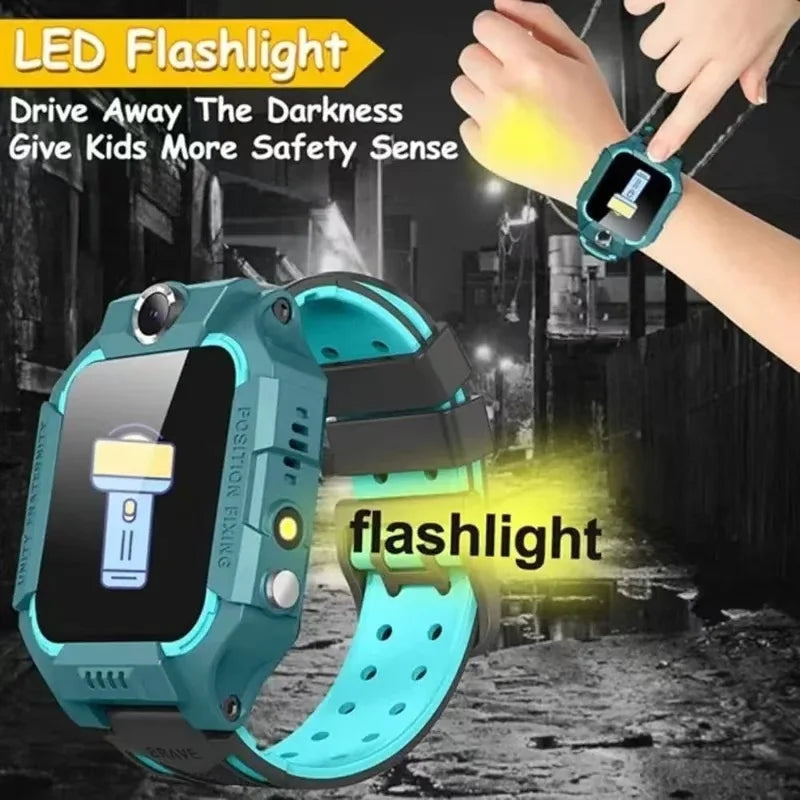
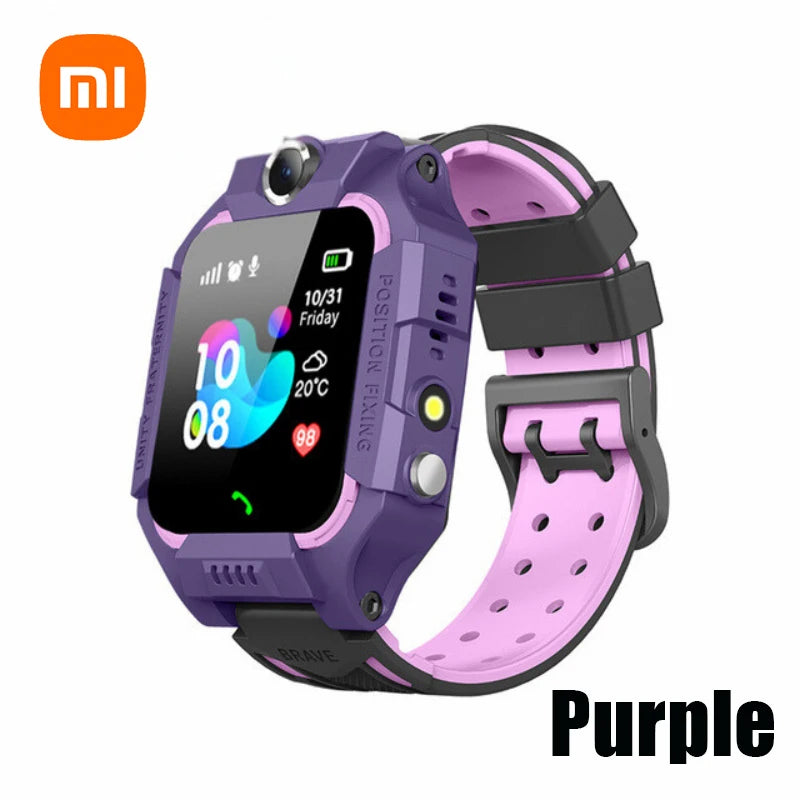
For a device option that supports these features, consider the KentDO Kids 4G Smart Watch (product link) as a practical example of a wearable that offers live location, SOS, and limited calling; always check the privacy policy first.
How to choose a safe device or app (benefits-first)
What matters most
- Clear privacy policy and minimal data sharing — prefer companies that state they do not sell location data. :contentReference[oaicite:2]{index=2}
- Strong account protection — unique parent login, two-factor authentication.
- Geofencing & SOS — instant alerts and a one-button distress signal for the child.
- Battery life & accuracy — daily use requires multi-day battery or easy charging.
- Age-appropriate design — small, screen-free trackers for younger kids; apps or phones for teens with more autonomy. :contentReference[oaicite:3]{index=3}
Which product should you consider? If you want a compact, child-focused device, look for a dedicated tracker or simple smart watch instead of full-featured phones — they typically limit distractions and reduce screen time. :contentReference[oaicite:4]{index=4}
Monitoring Devices is a helpful collection if you want to compare dedicated trackers and wearables.
Setup: privacy-first configuration (step-by-step)
Before first use
- Read the privacy policy — check data retention, third-party sharing, and whether precise geolocation is collected. :contentReference[oaicite:5]{index=5}
- Create a parent account with a strong password and enable two-factor authentication if available.
- Update the device firmware and the app to the latest versions before gifting to your child.
In the app: recommended toggles
- Disable any automatic data-sharing or analytics if the option exists.
- Limit access to "parents only" — do not share login credentials.
- Set geofence zones and notification preferences (real-time alerts for exits/entries).
Testing and drills
Run a short test: walk the child through a route and confirm that location updates, arrival alerts, and SOS signals work. Practice a “lost and found” drill so both parent and child know what to do.
Real time location tracking android example (basic)
Direct answer: On Android, real-time tracking usually works via a companion app on the child’s device that shares periodic GPS coordinates to a parent app or cloud service; ensure permissions are explicit and revocable.
Example (conceptual, non-executable) steps a developer or tech-savvy parent might follow when using an Android device for live location:
- Install a reputable family-tracking app on both devices (parent + child).
- On the child’s Android: Grant "Location" permission as "Allow all the time" for continuous updates, but only for trusted apps.
- Enable battery optimization exceptions for the tracking app so updates remain timely.
- In the app, add trusted contacts, create geofences, and enable push/SMS alerts.
Note: Always prefer apps from known vendors and review any app’s permissions and privacy disclosures carefully — unofficial apps have been shown to risk privacy and safety. :contentReference[oaicite:6]{index=6}
Talk with your child: build trust, not secrecy
Tracking works best when paired with clear expectations. Explain why you use tracking, when it will be active, and how your child can use safety features like SOS. For older kids, agree on boundaries and how you'll respect privacy as they gain independence. This approach reduces conflict and maintains family trust. :contentReference[oaicite:7]{index=7}
Quick question: Which family rule will you set first — SOS training, geofence alerts, or app sharing limits?
Everyday use cases and step-by-step scenarios
School drop-off and pickup
- Set a school geofence; enable arrival alerts to confirm your child reached school safely.
- If arrival alert isn’t received, call the school and check the device’s last-known location.
Playdate or park visit
- Create a temporary geofence around the park during the playdate window; receive alerts if your child leaves that zone.
- Agree on check-in times so the child knows to tap “I’m here” in the tracker app if needed.
Public events and crowded places
- Keep the tracker on the child and practice staying near a designated adult; GPS isn't perfect indoors or in dense crowds, so hold hands when possible. :contentReference[oaicite:8]{index=8}
Risks, privacy concerns, and how to reduce them
Primary risks
- Data leakage — some devices/apps have shared location data with third parties; choose vendors that commit not to sell geolocation. :contentReference[oaicite:9]{index=9}
- Unauthorized access — weak passwords or shared credentials can expose your child’s location.
- Over-surveillance — always balance safety with a child’s need for autonomy to avoid harming trust. :contentReference[oaicite:10]{index=10}
How to mitigate
- Pick well-reviewed products from reputable brands and read independent testing or enforcement actions (the FTC has intervened in the past where child devices misused location data). :contentReference[oaicite:11]{index=11}
- Keep software updated and limit data retention where possible.
- Use two-factor authentication and unique passwords for parent accounts.
- Explain monitoring policies to the child and limit tracking windows to when it’s truly needed.
Quick comparison: watches vs. phone apps vs. dedicated trackers
| Option | Best for | Pros | Cons |
|---|---|---|---|
| Kids GPS Watch | Young children (low screens) | Simple, SOS button, limited distractions | Variable privacy policies; check firmware updates. :contentReference[oaicite:12]{index=12} |
| Family tracking app | Mixed-age families | Feature-rich, geofencing, cross-device | Depends on app privacy; some require subscriptions. :contentReference[oaicite:13]{index=13} |
| Dedicated GPS tag | Backpacks, luggage, bikes | Small, long battery life | May lack SOS; depends on carrier connectivity. |
Where this fits into your parenting toolkit
Think of tracking as one tool in a larger safety toolkit (communication, route planning, emergency drills). For product options that complement tracking — like monitoring accessories and smart baby gadgets — see our collection Smart Baby Gadgets and Monitoring Devices.
Ready to try a parent gps tracker?
If you want a simple wearable that combines SOS, camera, and GPS — the Kids 4G Smart Watch (product link) is an option that many parents find easy to use; verify the privacy policy and test alerts before regular use.
parental gps tracking app + parent gps tracker — 💡 See it in action
Mini FAQ
- Is it legal to track my child?
Parents generally may track minor children in their care, but tracking others without consent can be illegal. If custody agreements exist, check legal advice before tracking. :contentReference[oaicite:15]{index=15}
- Will GPS tracking drain the device battery quickly?
Continuous GPS updates use power; choose devices with multi-day battery life or configure update intervals for balance.
- How accurate is a kid’s GPS watch?
Accuracy depends on GPS signal, carrier coverage, and whether the device uses Wi-Fi or cellular assist. Expect occasional inaccuracies in dense urban areas or indoors. :contentReference[oaicite:16]{index=16}
Related Articles:
- Touchscreen Smartwatch for Kids: Easy Tips to Help Them Use It Independently
- How SOS Button Works on Kids Watches and How to Teach Your Child to Use It
- Remote Monitoring Smartwatch Setup Guide for Stress-Free Daily Check-Ins
- IP67 Waterproof Kids Watch Review: Top Safe Picks for Everyday Play
Pillar Articles:






Real parents, real outcomes
“The watch gave us peace of mind when our son started walking to school alone — the arrival alerts are worth it.” — A. R., parent
Independent reporting and regulatory notices have shown that reputable products reduce the stress of searching for a lost child, while poor-quality devices can introduce privacy risk. Always balance reviews with policy checks. :contentReference[oaicite:14]{index=14}
parent gps tracker + real time location tracking android example — 💡 See it in action