

Does a touchscreen smartwatch for kids really help them become independent?
Yes — a touchscreen smartwatch for kids can boost everyday independence by simplifying calls, location checks, and quick reminders while keeping safety tools like SOS buttons and optional cameras at hand. For many families, the right habits and simple settings turn a smartwatch into a practical training tool for responsibility and confidence.
⏱ 7 min read
Touchscreen Smartwatch for Kids: Easy Tips to Help Them Use It Independently
A touchscreen smartwatch for kids can boost confidence and independence while helping parents understand do smartwatches have cameras options, compare a childrens watch with camera features, and even choose the best smartwatch with sos button for added safety; these simple habits help kids master their device effortlessly. Read on for step-by-step tips, realistic routines, and product ideas that make learning fast and stress-free.
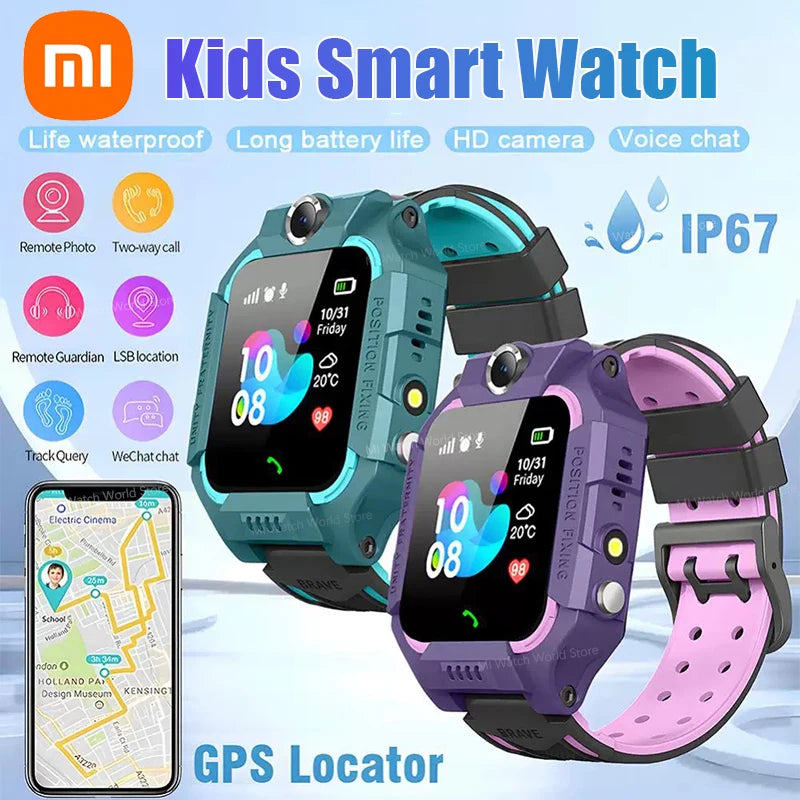
touchscreen smartwatch for kids + do smartwatches have cameras — 💡 See it in action
Curious how a kid-friendly smartwatch fits into your daily routine? Peek at options and simple habits that work.
Why a touchscreen smartwatch helps kids
Touchscreens match how kids already use phones and tablets — simple taps and swipes are natural. A well-chosen smartwatch reduces friction for calling parents, receiving reminders, or using an SOS button without needing constant help.
Top benefits, at a glance
- Quick access to help: one-button SOS for emergencies.
- Simple communication: voice calls or quick messages that feel like play.
- Mini responsibilities: check-in routines and time-awareness practice.
- Parental tools: geo-fencing and activity logs for peace of mind.
How to get started: first-week checklist
Start small — a clear plan prevents overwhelm and turns the device into a learning tool, not just another gadget. Below is a compact first-week checklist you can follow.
- Day 1 — Unbox together, explain the main buttons, and set the watch straps comfortably.
- Day 2 — Turn on and pair with your phone; set emergency contacts and volume.
- Day 3 — Practice a test call, send a message, and press the SOS to confirm it works (notify your contact first).
- Day 4 — Teach routines: how to check the time, set an alarm, and respond to a parent ping.
- Days 5–7 — Short, repeated practice sessions (5–10 minutes) and a family rule sheet.
Daily routines that build independence
Routines are the fastest path to habit. Use the watch to scaffold responsibility without nagging.
Quick routine examples
- Morning: Alarm → Get dressed → Send a "ready" quick message.
- School drop-off: Quick check-in when arriving at school before class.
- After-school: Use a reminder alarm for homework or instrument practice.
- Evening: Charge the watch together and set a low-battery rule.
Safety features explained (SOS, camera, GPS)
A touchscreen smartwatch for kids often includes SOS, GPS tracking, and sometimes a camera. SOS sends an alert with location to chosen contacts; GPS helps find your child; optional cameras add simple photo-check-ins. These tools support safer independence when paired with clear rules and privacy settings.
Do smartwatches have cameras?
Many kids' smartwatches offer a simple front-facing camera for photos and video calls. That camera can be helpful for a quick check-in, but it's essential to control who can receive images and when it's active.
Best smartwatch with SOS button — what to check
- Reliable one-touch SOS that alerts multiple contacts.
- Immediate location sharing and update frequency.
- Battery life — longer charge means more consistent protection.
- Parental controls for contacts, camera usage, and app access.
Hands-on tutorials: step-by-step
Here are clear, action-first steps to teach a child essential smartwatch skills.
How to make a call
- Show how to open the call screen with one tap.
- Practice dialing a saved contact together.
- Role-play short, friendly scripts (e.g., "Hi Mom, I'm at the gate").
- Set a rule: only call family contacts unless it’s an emergency.
How to use SOS correctly
- Explain situations for SOS (lost, injury, or other real danger).
- Demonstrate pressing the SOS and what happens afterward (watch will call/send location).
- Run a supervised drill once so the child knows it’s not a toy.
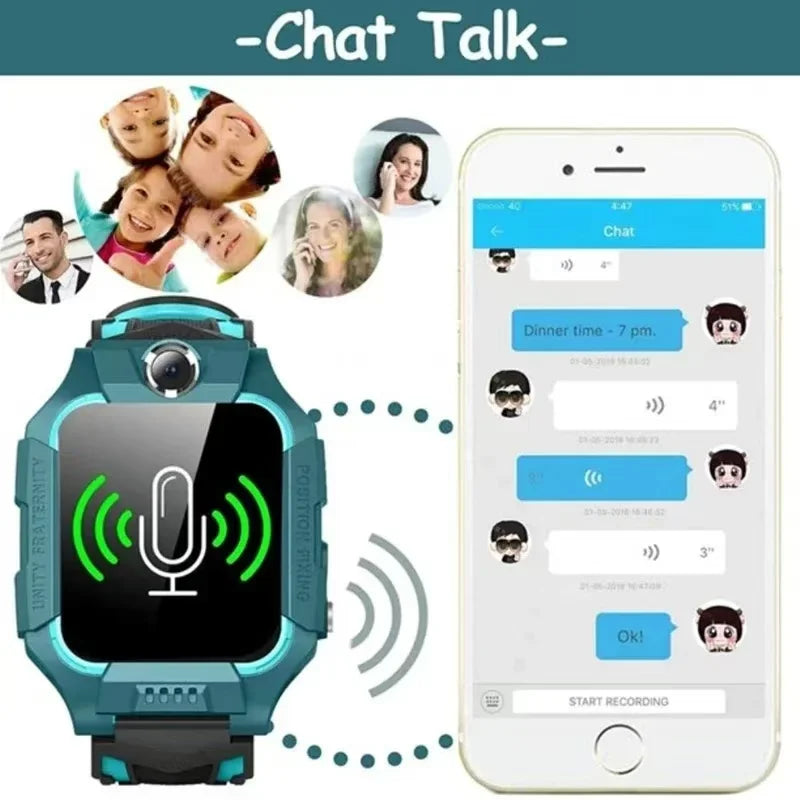
do smartwatches have cameras + childrens watch with camera — 💡 See it in action
Need a reliable model that balances safety and simplicity? Compare features and pick what fits your family's routines.
Compare features: which to choose
Here’s a clean comparison to help you match features to the way your family lives.
| Feature | Good for younger kids | Good for older kids |
|---|---|---|
| Simple SOS | Essential | Essential |
| Camera | Optional — for supervised photo check-ins | Useful for video calls with family |
| App controls | Basic contact list only | More granular controls and schedules |
| Battery life | Longer is better — 2+ days ideal | Longer for sports or heavy use |
Pros & cons
- ✅ Pros: Encourages time-awareness, quick contact, emergency support.
- ❌ Cons: Requires rules around camera/privacy and regular charging.
Real parents — quick reviews
“We did a practice SOS drill and our 8-year-old handled it perfectly — calmer and more confident.” — Laura, parent of two.
“The camera surprised us — it’s great for quick check-ins but we only enabled it for video calls.” — Amir, dad of one.
Visual comparison & pros/cons
Below is a compact checklist you can print or use as a phone note before buying.
- Does it have a reliable SOS button? ✅
- Can you add only trusted contacts? ✅
- Is the camera optional or fully controllable? ✅/❌
- Battery life sufficient for your day? ✅/❌
For families focused on safety tools and monitoring, check related solutions under Monitoring Devices and Health & Safety for complementary items.
Trust and proof: setup tips that actually work
Use parental controls, set clear family rules, and review activity only during calm moments. A calm, consistent approach increases trust and reduces conflict when the device is new.
- Set expectations around when the watch is for safety, not play.
- Short supervised practice sessions beat long lectures.
- Celebrate successes — first independent check-in, first correct SOS drill.
Where this fits in your routine
Pair a smartwatch with practical accessories — a protective case, a charging station in a fixed spot, and a lightweight habit checklist taped near the charger. Together these small choices make ownership frictionless.
When you're ready to see a model that balances GPS, SOS, and camera features, consider this product: Kids 4G Smart Watch GPS SOS Camera — a practical choice for families who want straightforward safety tools.
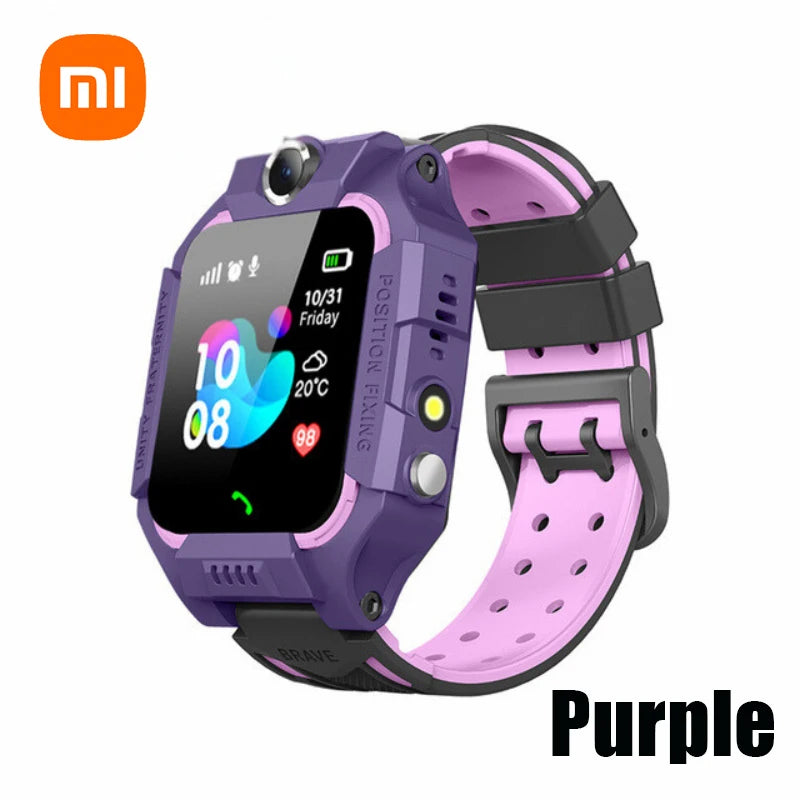
childrens watch with camera + best smartwatch with sos button — 💡 See it in action
Ready for an easy setup that helps your child grow more independent? Try a model with SOS and controlled camera features today.
Mini-FAQ
- Can a touchscreen watch teach time-telling?
- Yes — use the watch's clock and simple daily routines (set alarms for specific tasks) to build time-awareness over weeks.
- Are cameras on kids' watches safe?
- They can be, when limited to trusted contacts and when parents control when the camera is active. Treat camera access like any family privacy rule.
- What if my child presses SOS by mistake?
- Teach appropriate SOS use and explain consequences. Most systems allow you to cancel an accidental alert quickly; run one supervised practice so your child knows what to expect.
- How often should the watch be charged?
- Charge nightly or during a quiet routine. Pick a family charging spot so it becomes part of the bedtime routine.
Final notes — a gentle plan that works
Start with one clear purpose: safety and small responsibilities. Use short, repeated practice sessions and keep settings simple. The right touchscreen smartwatch for kids becomes a tool for confidence — not a substitute for supervision.
Related guides: For complementary baby gear and helpful parenting tools, explore Baby Growth & Learning, Smart Baby Gadgets, and Mom Essentials to build a simple, effective routine around your family's needs.
Pillar Article: How to Track My Child Safely: A Practical Parent’s Step-by-Step Guide
Other Related Articles:
- How SOS Button Works on Kids Watches and How to Teach Your Child to Use It
- Remote Monitoring Smartwatch Setup Guide for Stress-Free Daily Check-Ins
- IP67 Waterproof Kids Watch Review: Top Safe Picks for Everyday Play
Explore More:





