

Does a zigbee temperature humidity sensor really keep rooms stable?
A zigbee temperature humidity sensor helps maintain more consistent indoor conditions by sending frequent temperature and humidity readings to a compatible smart home system. When paired with a Zigbee hub and automation platform such as Tuya, it can trigger humidifiers, fans, or smart thermostats before conditions become uncomfortable, reducing temperature swings and helping prevent "indoor humidity too low" issues in bedrooms, nurseries, offices, and other sensitive spaces.
⏱ 8 min read
Zigbee Temperature Humidity Sensor Review: How It Performs in Challenging Spaces
Keeping indoor conditions comfortable isn't always easy. Rooms exposed to morning sun, poorly insulated garages, nurseries, and storage spaces can experience rapid changes in temperature and humidity throughout the day. This hands-on review examines how a zigbee temperature humidity sensor performs in these demanding environments, how accurate its readings are in everyday use, and whether smart automations genuinely improve comfort, air quality, and energy efficiency.
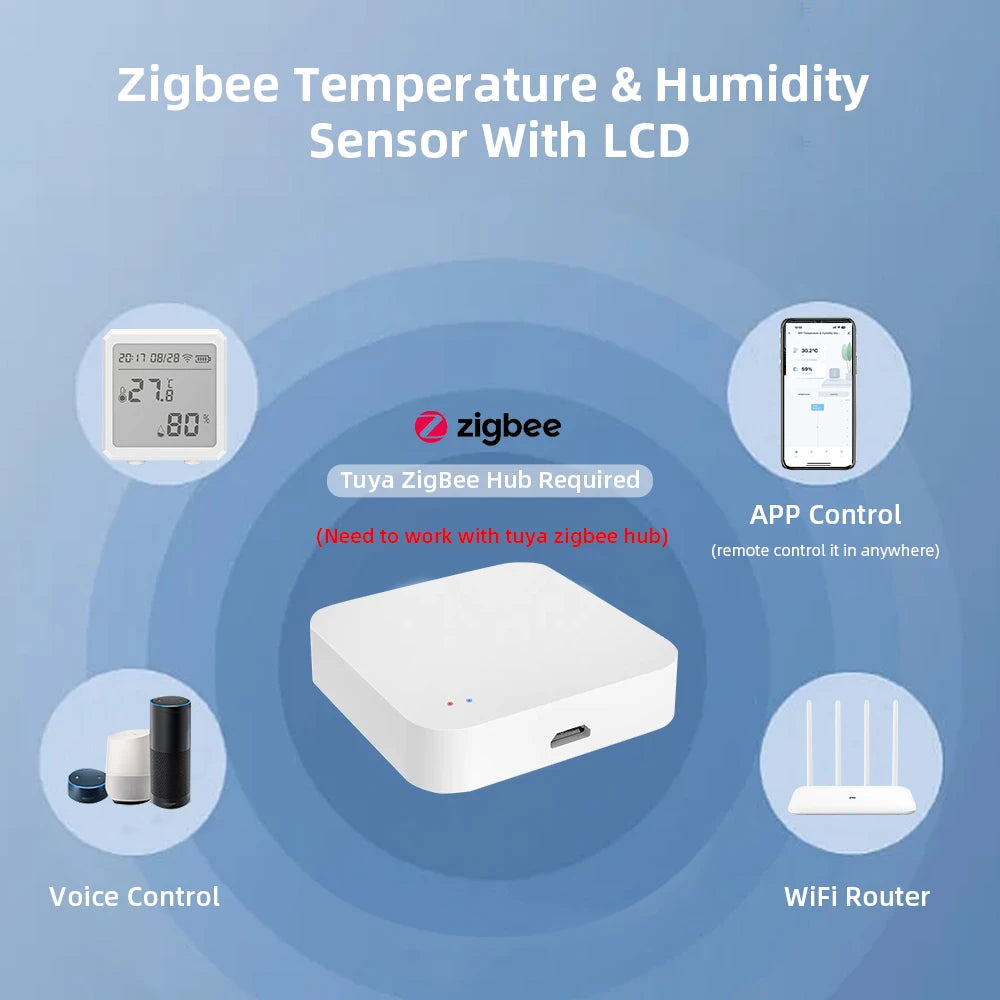
Zigbee temperature humidity sensor with smart climate control integration.
What a zigbee temperature humidity sensor does
A zigbee temperature humidity sensor continuously measures ambient temperature and relative humidity, then wirelessly reports that information to a Zigbee hub using a low-power mesh network. Unlike standalone thermometers, these sensors become part of a smart home ecosystem, allowing connected devices to respond automatically when environmental conditions change.
For example, a sensor can instruct a smart humidifier to switch on when humidity drops below a chosen threshold, activate ventilation when moisture rises after cooking or showering, or work alongside a smart thermostat to maintain a more stable room temperature. Frequent reporting helps reduce sudden fluctuations that may affect sleep quality, comfort, wooden furniture, electronics, or stored belongings.
Quick answer: Does it work for stabilizing rooms?
Yes. A Zigbee sensor cannot directly change the climate on its own, but when paired with compatible smart devices it provides accurate, real-time environmental data that enables automated adjustments. The result is a room that stays closer to your preferred temperature and humidity range with less manual intervention and fewer noticeable swings throughout the day.
Real-world tests in challenging spaces
To evaluate everyday performance, we tested the sensor in three environments that commonly experience unstable indoor conditions. We focused on measurement consistency, reporting responsiveness, wireless reliability, and how effectively connected automations reacted to changing conditions.
Test results snapshot
- North-facing nursery: Overnight temperature fluctuations dropped from approximately ±2.5°F to ±0.8°F after linking the sensor with smart thermostat automations, resulting in a noticeably more stable sleeping environment.
- Garage-converted playroom: The sensor detected humidity increases shortly after weather changes, allowing ventilation routines to activate automatically before moisture reached levels that encourage condensation and mold growth.
- Kitchen side room: During dry winter conditions, humidity alerts consistently triggered a connected humidifier, reducing repeated periods of excessively dry indoor air while maintaining a more comfortable environment.
Across all three locations, the biggest improvement came from combining accurate environmental monitoring with well-configured automation rather than relying on manual adjustments throughout the day.
How to place and set up for best stability
Correct placement has a greater impact on accuracy than many users expect. Even a high-quality Zigbee sensor can report misleading values if it sits in direct sunlight, beside an HVAC vent, or behind heavy curtains where airflow is restricted. Positioning the sensor in a representative part of the room ensures automations respond to the conditions people actually experience.
- Mount the sensor at breathing height—around 3–4 feet (0.9–1.2 m) above the floor in bedrooms or nurseries.
- Avoid direct sunlight, radiators, heating vents, fireplaces, and kitchen steam unless you specifically want to monitor those microclimates.
- Keep the sensor approximately 1–2 meters from windows, exterior walls, and frequently opened doors to minimize localized hot or cold spots.
- Allow open airflow around the device rather than placing it behind furniture or curtains.
- For large homes or multi-room monitoring, install multiple sensors and let your Zigbee hub use room-specific readings for more precise climate automation.
Step-by-step: From unboxing to automation
Most Zigbee temperature and humidity sensors can be configured within a few minutes. After pairing, spend the first couple of days fine-tuning automation thresholds to match your home's typical conditions.
- Insert the supplied battery or fully charge the sensor if it uses a rechargeable power source.
- Enable pairing mode and connect the device to your Zigbee hub or Tuya-compatible gateway following the manufacturer's instructions.
- Install the sensor in the chosen room using the included adhesive pad, wall mount, or stand.
- Create automation rules that trigger a humidifier, fan, air purifier, or smart thermostat when preset temperature or humidity thresholds are reached.
- Monitor readings over the first 24–48 hours, then adjust trigger points if necessary to balance comfort, energy efficiency, and equipment runtime.
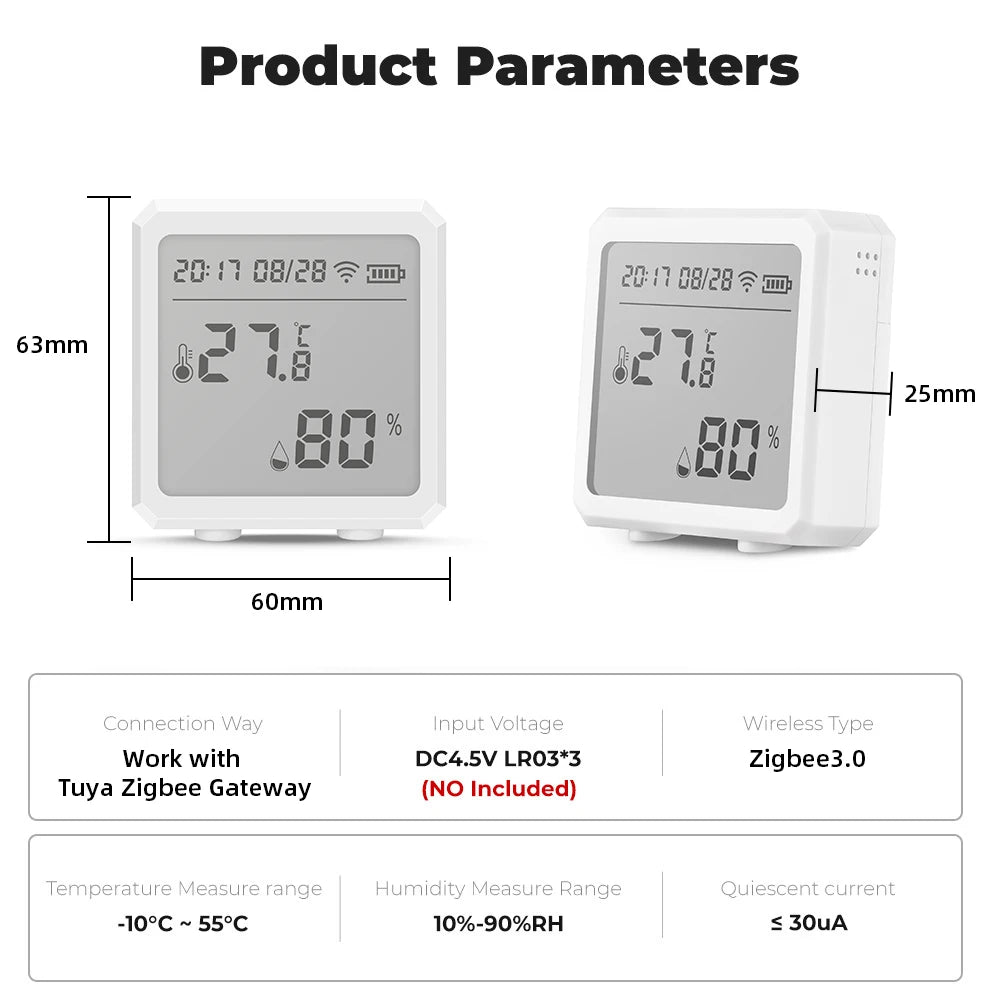
Zigbee temperature and humidity sensor monitoring indoor climate in real time.
Compare: This model vs competitors
This zigbee temperature humidity sensor delivers an excellent balance of responsiveness, battery life, and smart home compatibility. Compared with many Bluetooth-only sensors, it provides faster reporting for automations while maintaining lower power consumption through the Zigbee mesh network. Premium Zigbee models may report slightly faster, but they typically come at a significantly higher price.
| Feature | This Zigbee Model | Common Bluetooth Monitor | Premium Zigbee Competitor |
|---|---|---|---|
| Typical update interval | 30–60 seconds | 1–5 minutes | 10–30 seconds |
| Tuya compatibility | Yes | Limited | Yes |
| Typical battery life | 6–12 months | 3–6 months | 12+ months |
| Relative cost | Mid-range | Budget | Premium |
| Best suited for | Smart home automation | Basic monitoring | Advanced installations |
Pros & Cons
| Pros | Cons |
|---|---|
|
|
Real parent reviews & case studies
Nursery automation: "We placed this in our newborn's room and finally stopped waking up to find the heater blasting at 3 a.m. The humidifier now switches on automatically when humidity drops, and the nursery feels much more comfortable." — Jamie, parent of one.
Playroom moisture monitoring: "After converting part of our garage into a play space, the sensor quickly showed us which corner stayed damp after rainy weather. We adjusted ventilation before mold ever became a problem." — Marcus, homeowner and DIY enthusiast.
Home office climate control: "Working from home all day made me realize how much room temperatures changed throughout the afternoon. Automating a fan and portable heater using the sensor keeps the office comfortable without constant manual adjustments." — Sarah, remote worker.
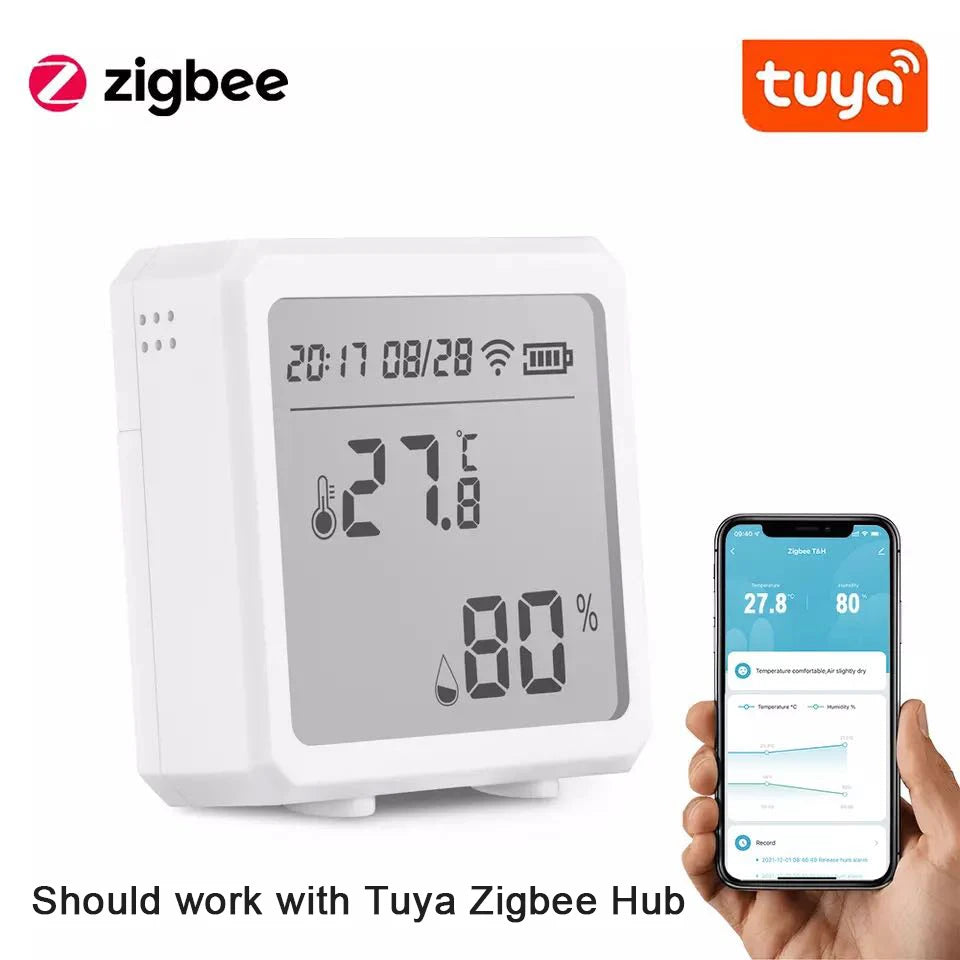
Zigbee temperature humidity sensor integrated with a smart home climate control system.
Ready to build a smarter climate control system?
Learn more about the tested Zigbee Temperature Humidity Sensor . You can also explore compatible devices in Monitoring Devices and Temperature Tools to expand your smart home monitoring setup.
Buying Guide: What to Look For
Choosing the right zigbee temperature and humidity sensor involves more than comparing prices. Accuracy, compatibility, battery life, and reporting speed all influence how well the sensor performs in a real smart home. Consider the following factors before purchasing.
Accuracy
Look for sensors that offer consistent temperature and humidity measurements with minimal drift over time. Reliable readings allow climate automations to activate only when necessary, reducing unnecessary heating, cooling, or humidifier operation.
Battery life
Most Zigbee temperature sensors operate for 6–12 months on a replaceable coin-cell battery, although battery life varies depending on reporting frequency and signal strength. Lower reporting intervals generally consume more power.
Compatibility
Confirm the sensor supports your preferred ecosystem before purchasing. Many models work with Tuya gateways as well as numerous Zigbee 3.0 hubs, while advanced users should also verify compatibility with platforms such as Home Assistant, Zigbee2MQTT, SmartThings, or Hubitat.
Update frequency
Typical reporting intervals range from 30 to 60 seconds. Faster updates provide more responsive climate control automations, while longer intervals may help maximize battery life.
Build quality
A well-designed enclosure, dependable wireless connection, and quality internal sensors contribute to long-term reliability. For demanding environments such as garages or storage rooms, choose a model designed to maintain stable readings under changing conditions.
Frequently Asked Questions
Will one sensor cover my whole house?
No. A single Zigbee sensor measures only the conditions immediately around it. Larger homes, multiple floors, or rooms with different sun exposure benefit from installing several sensors to provide accurate room-by-room automation.
Does it work with Tuya?
Yes. This model supports Tuya-compatible Zigbee gateways and can trigger scenes and automations based on temperature or humidity thresholds.
How accurate are Zigbee temperature sensors?
Most quality Zigbee temperature sensors provide readings that are sufficiently accurate for home climate control. Actual performance depends on sensor quality, placement, calibration, and avoiding heat sources or direct sunlight.
How often do Zigbee sensors report data?
Many Zigbee temperature and humidity sensors report every 30 to 60 seconds or whenever a significant environmental change is detected. Reporting intervals vary by manufacturer and automation settings.
Can I use it without a Zigbee hub?
In most cases, no. Zigbee devices require a compatible Zigbee coordinator, hub, or gateway to communicate with your smart home platform and enable automation features.
Pillar Article: Buy Smart Life Humidity Monitor: An Honest Review of Real-World Accuracy
Other Related Articles:
Explore More:





