

Wireless Smart Home Systems: Which Setups Fit Different Household Needs
⏱ 14 min read
Does a wireless smart home system really make daily life easier?
Yes. A well-planned wireless smart home system—centered on a wireless smart home systems approach—automates temperature, tracks indoor air and humidity, and alerts you to issues so you get consistent comfort, better energy use, and fewer surprises. Small apartments to large homes can benefit when you pick the right mix of zigbee sensors, smart humidity sensor, and temperature control devices.
Looking for the easiest, most effective way to keep your home comfortable and safe without complicated wiring or lots of upkeep? Many parents and homeowners feel overwhelmed by device choices and unsure which setup actually supports their daily routines—sleeping baby, afternoon naps, or working from home. This guide cuts through the noise and matches wireless smart home systems to real household needs so you can pick a setup that fits your space, budget, and priorities.
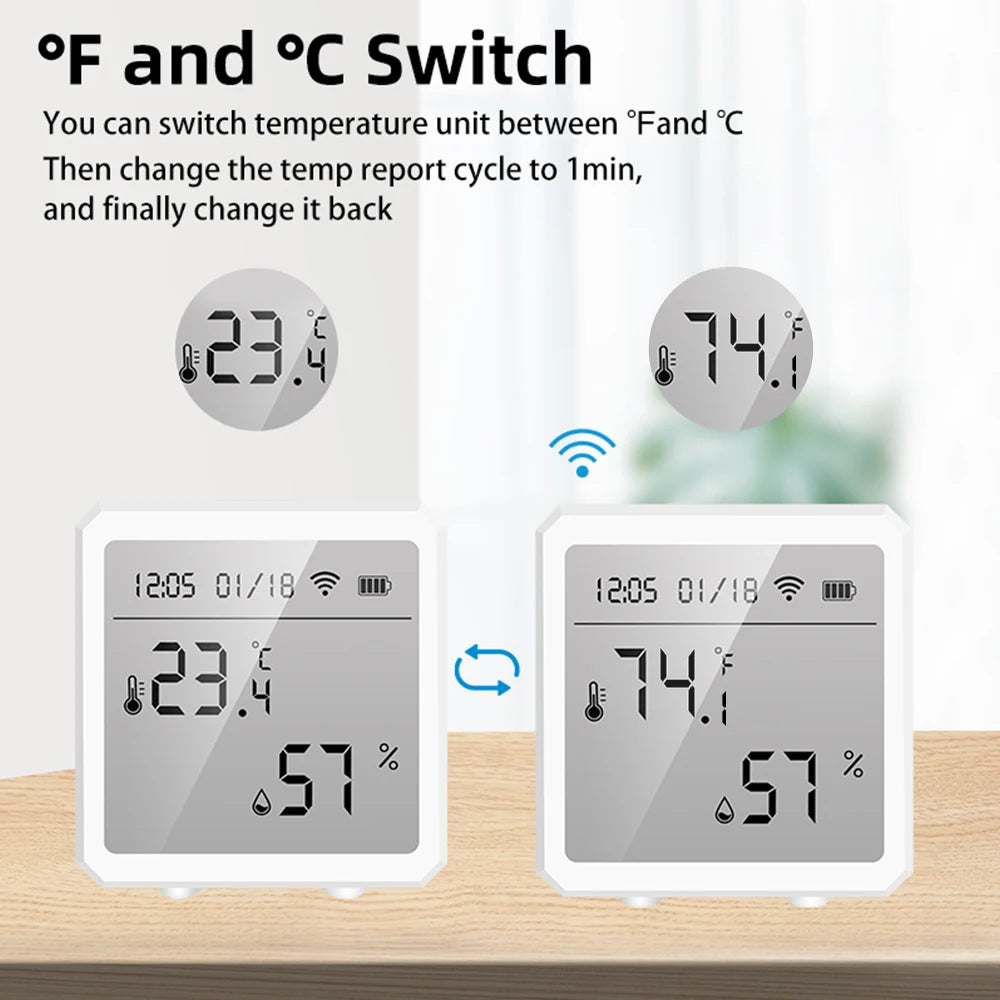
wireless smart home systems + smart home temperature control system — 💡 See it in action
Why choose wireless smart home systems?
A wireless approach avoids new wiring, lets you scale room-by-room, and integrates the devices you already own. For families, the biggest wins are simpler installation, remote monitoring, and automation that reduces daily friction—think nursery climate control, automatic night lighting, or leak detection before carpets are ruined.
What does a wireless smart home system actually do?
A wireless smart home systems setup uses radios (Wi-Fi, Zigbee, Z-Wave, Bluetooth) to connect sensors, controllers, and smart thermostats. Together, these components let you automate routines, adjust HVAC settings remotely, and get alerts when something needs attention (temperature swings, high humidity, or open windows).
Which setup fits your home size and routine?
Below are four practical household profiles and the wireless setup that best matches each. Pick the profile closest to your life and use it as a checklist.
- Small apartment, minimal setup: One hub or reliable Wi-Fi, a smart thermostat or smart vent controller, and 1–2 combined temperature/humidity sensors.
- Two-bedroom family: Multi-sensor coverage (bedrooms + living), a central smart thermostat, a smart humidity sensor for nursery, and door/window sensors for safety.
- Large family home: Multi-hub or mesh Wi-Fi, Zigbee sensor network, smart thermostats zoned by floor, environmental monitoring tech in kitchen and basement, and leak detectors.
- Proactive wellness & energy saver: Full environmental monitoring tech with air quality sensors, smart humidity sensor, HVAC integration for demand-response energy savings, and scheduled automations tied to occupancy.
How to pick based on your top priority
- If your top concern is baby sleep and air comfort → prioritize smart home temperature control system and a smart humidity sensor near the nursery.
- If you want energy cost savings → focus on zoned temperature control and occupancy-based automations.
- If you need safety (floods, leaks) → add environmental monitoring tech and water sensors in vulnerable areas.
How a smart home temperature control system simplifies comfort
Direct answer: A smart home temperature control system keeps rooms at consistent temperatures automatically, adapts to occupancy, and reduces manual thermostat fiddling—so babies sleep better and energy use drops without daily effort.
Key benefits of integrating temperature control:
- Automated schedules for day/night comfort.
- Remote adjustments from your phone—perfect for late-night feedings.
- Integration with temperature/humidity sensors to avoid dry or damp conditions.
- Energy savings when paired with smart vents and occupancy detection.
Usage scenario: sleep-focused routine
Set the nursery schedule to a slightly cooler temperature for daytime naps and a warmer, cozy setting for evening bedtime, and let sensors fine-tune the logic so the system holds temperature without waking the baby.
Environmental monitoring tech: health, safety, and comfort
Environmental monitoring tech covers air quality (CO2, VOCs), humidity, and sometimes particulate matter. This matters for households with babies, allergies, or moisture-prone areas.
When to prioritize monitoring
- Homes with newborns or sensitive respiratory needs.
- Older homes with potential moisture, mold, or poor ventilation.
- Families who want hard data to guide ventilation and dehumidification strategies.
Simple monitoring checklist
- Smart humidity sensor in basement and nursery.
- CO2 tracker in high-occupancy rooms (playroom).
- VOC/PM sensor near kitchen and changing areas.
Why zigbee sensors are a reliable backbone
Zigbee sensors form low-power meshes that extend across your house. They’re ideal for battery-powered devices like door/window sensors, motion detectors, and temperature/humidity sensors—especially when you want long battery life and reliable local control even if Wi-Fi blips.
Zigbee benefits at a glance
- Low power, long battery life.
- Mesh networking extends range through other devices.
- Local automation possible with a compatible hub (faster, more private).
How to mix Zigbee and Wi-Fi without conflicts
Keep bandwidth-heavy devices (cameras, streaming) on 2.4GHz/5GHz Wi-Fi and use a Zigbee hub for sensors to reduce congestion and improve responsiveness.
When a smart humidity sensor matters most
Direct answer: A smart humidity sensor helps prevent mold, protects wooden furniture, and keeps infants comfortable by controlling dehumidifiers or humidifiers automatically, stabilizing the home climate for health and sleep.
Practical placements:
- Nursery: keeps humidity in the ideal 40–50% range for infant comfort.
- Basement: detect dampness early to avoid mold.
- Kitchen and laundry area: catch humidity spikes from cooking and drying.
Step-by-step: build your tailored system
- Define your priorities: comfort, energy, or safety?
- Map the rooms: where do you spend most time? Where do you worry about leaks or dampness?
- Choose a hub or ecosystem: single-vendor simplicity vs. multi-protocol flexibility (Zigbee + Wi-Fi).
- Select core devices: smart thermostat, temperature/humidity sensors, motion detectors, and environmental monitors.
- Automate progressively: start with schedules and alerts, then add occupancy-based triggers and energy rules.
- Test and tune: watch data for a week and adjust setpoints for comfort and efficiency.
Example automation recipes
- If nursery humidity >55% → send alert + activate dehumidifier schedule.
- If bedroom motion detected after midnight → dim hallway lights at 20% for 5 minutes.
- If outside temperature <45°F and home unoccupied → lower heating setpoint by 4°F.
Quick comparison: starter vs. family vs. prosumer setups
| Setup | Best for | Core components | Estimated complexity |
|---|---|---|---|
| Starter | Small apartments, renters | Smart thermostat, 1 temp/humidity sensor | Low |
| Family | 2–3 bedroom homes | Hub, thermostat, 3+ sensors, smart vents, leak sensors | Medium |
| Prosumer | Large homes, wellness-focused | Zigbee mesh, multiple hubs, full environmental monitoring tech | High |
Installation and maintenance tips
- Place temperature sensors at breathing height in the nursery—avoid direct sunlight or vents.
- Label batteries and set calendar reminders for replacements.
- Keep firmware updated on hubs and sensors for stability and security.
- Test automations during off-hours before relying on them at night.
Budget guide and value decisions
Expect to spend a little more for sensors that report both temperature and humidity accurately. A single good temperature/humidity sensor usually saves time and frustration—especially when used to protect a nursery or basement.
Where to spend vs. save
- Spend: reliable multi-sensor (temperature + humidity + battery life), smart thermostat with local control.
- Save: basic motion sensors and non-critical accessories that are inexpensive to replace.
Parent stories & real-world results
Before: A family kept bumping up nursery heat for comfort and found the room too dry, causing restless naps.
After: Adding a temperature/humidity sensor tied to a smart thermostat stabilized the nursery at 68°F and 45% humidity—longer naps, fewer middle-of-the-night adjustments.
Another household used Zigbee door sensors to detect when the nursery door was opened unexpectedly, triggering gentle night lighting and push notifications for peace of mind during the newborn stage.
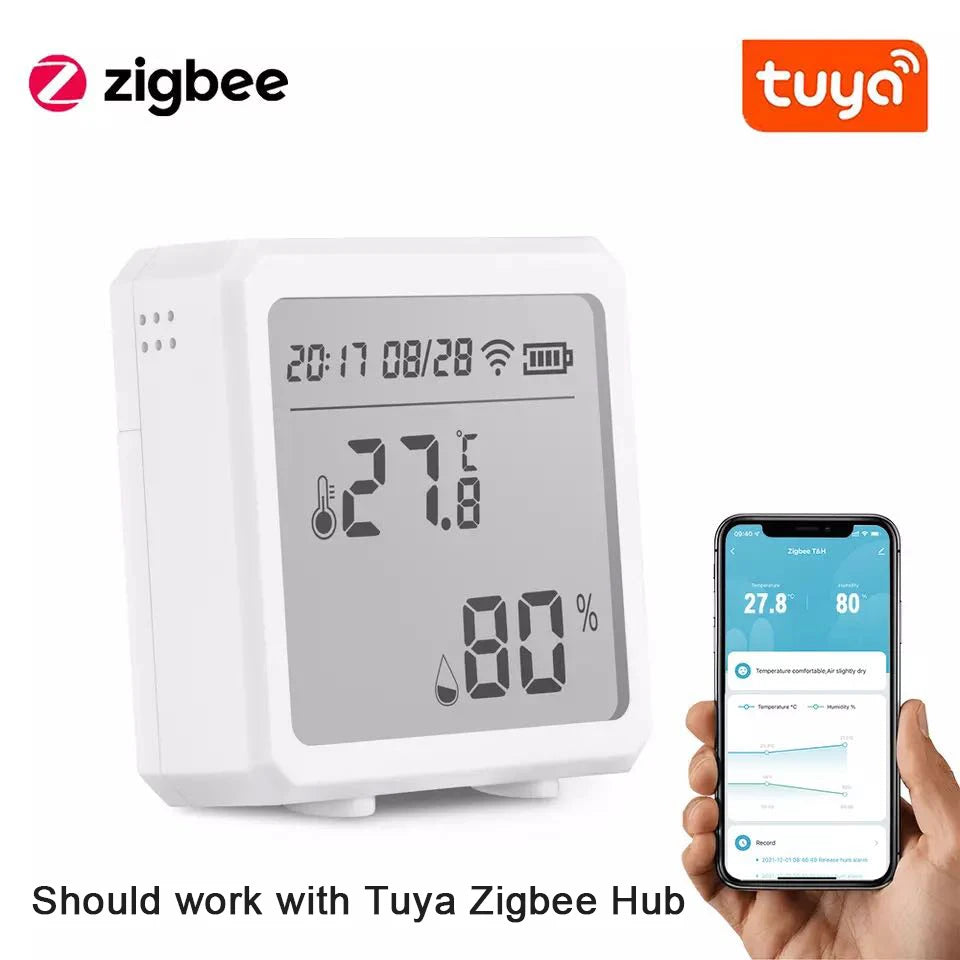
smart home temperature control system + zigbee sensors — 💡 See it in action
Visual comparison and pros/cons
Pros and cons at a glance
| Feature | Pros | Cons |
|---|---|---|
| Wireless sensors | Easy install, flexible placement | Battery maintenance |
| Zigbee mesh | Long battery life, local automation | Requires compatible hub |
| Smart thermostats | Energy & comfort gains | Initial cost, possible installation fee |
| Environmental monitoring tech | Health-focused insights | Upfront cost for full coverage |
How the product fits into these setups
Devices that combine temperature and humidity measurement—especially those that integrate over Zigbee—are ideal building blocks. For example, a combined Zigbee temperature/humidity sensor can be placed in the nursery, basement, and living room to provide trustworthy data that drives heating/cooling decisions and humidity control.
For families wanting a single, reliable sensor to test first, check the product dedicated to temperature and humidity monitoring at: Zigbee Temperature & Humidity Sensor. Placing one in the nursery and one in the basement gives immediate, actionable data.
Ongoing tuning and seasonal checks
- Spring/fall: check humidity setpoints and ventilation rules.
- Winter: ensure humidifiers work with the smart humidity sensor to avoid dry skin.
- Summer: watch AC runtime and use sensor data to avoid overcooling bedrooms when unoccupied.
Security and privacy considerations
Use local control when privacy matters—Zigbee local automation reduces reliance on cloud services. Always pick devices with regular firmware updates and enable two-factor authentication when available.
Real numbers: typical cost vs. savings
- Starter package (1 thermostat + 1 sensor): lower initial cost, quicker payback through targeted energy reduction.
- Family package (zoned control + 4 sensors): higher up-front cost, larger seasonal savings and comfort wins.
- Prosumer/integrated monitoring: highest cost, best for health-focused households that value continuous environmental data.
Wiring vs. wireless: is wireless always better?
Wireless is more convenient and scalable for most households, but hard-wired HVAC integrations can offer better reliability for whole-house zoning. Consider wireless-first for renters and families that want simple expansion without contractors.
Common issues and fixes
- Intermittent sensor reports: Check battery and distance from hub; add a Zigbee repeater (smart plug) if needed.
- Conflicting automations: Keep a single master schedule and log changes for troubleshooting.
- Unreliable Wi-Fi: Separate sensor network (Zigbee) from Wi-Fi to reduce drops.
More real-world feedback
"We added a humidity sensor in the nursery and cut down the overnight wake-ups—no more switching fans on and off." — Parent reviewer
"The Zigbee mesh made the basement sensors reliable even though Wi-Fi was weak down there." — Homeowner reviewer
Integration examples (popular automations)
- Nursery humidity & temperature enforce sleeping setpoints automatically.
- When the baby monitor detects motion during night hours → soft hallway lighting for safe checks.
- When water sensor detects moisture under the laundry → immediate notification + shutoff rule with a smart valve.
UX considerations: simplicity vs. customization
Pick a primary app that your family will use daily. If the app is clunky, automations won't be maintained. Balance deep customization (for power users) with simple, easily understood rules for day-to-day reliability.
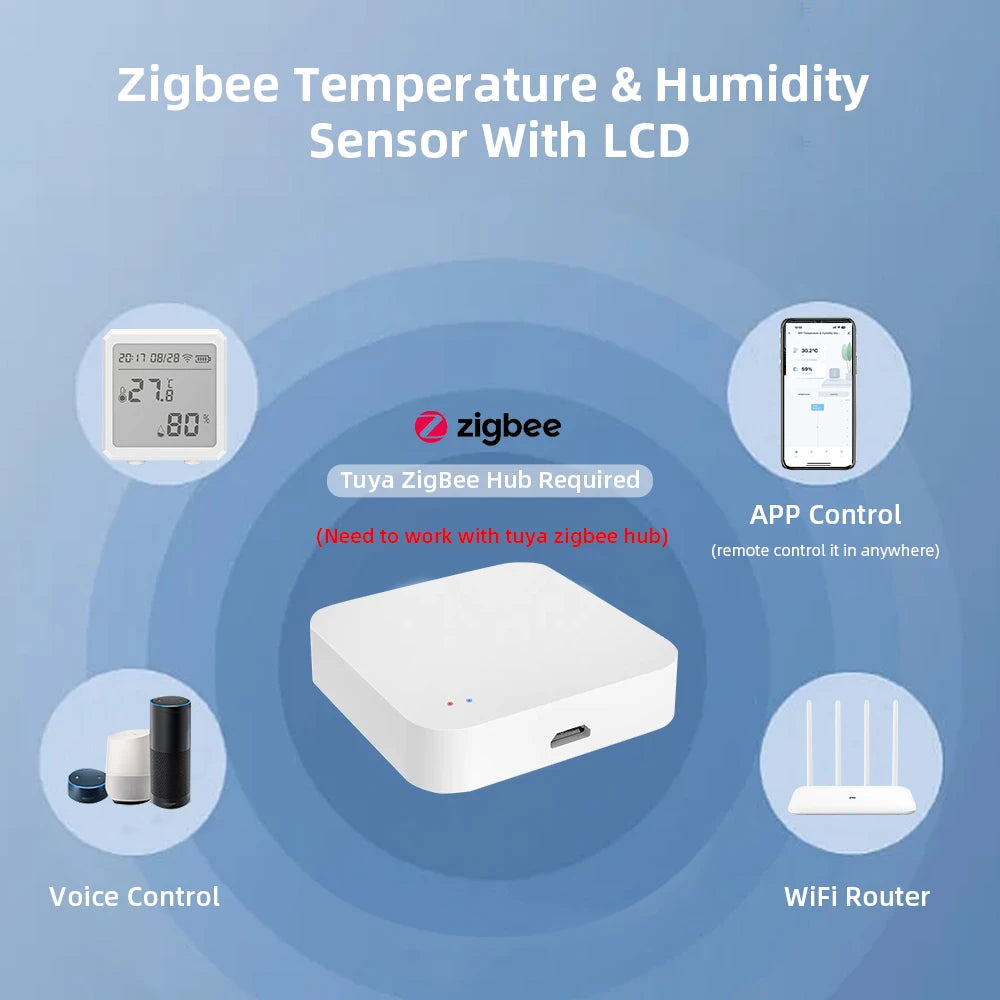
zigbee sensors + smart humidity sensor — 💡 See it in action
Buying guide: what to look for
- Accuracy: look for ±1–2°F and ±2–3% RH accuracy on temp/humidity sensors.
- Battery life: multi-year battery life reduces maintenance.
- Compatibility: ensure Zigbee devices are compatible with your chosen hub.
- Local control: supports automations when the internet is down.
Where to place sensors for best results
- Nursery: 3–4 feet above floor, away from direct sunlight and vents.
- Living room: central wall at head height for average readings.
- Basement: near suspected damp spots but not on the floor.
- Kitchen: away from direct kitchen plume but close enough to catch spikes.
Compatibility tips for mixed-ecosystem homes
If you have multiple ecosystems (Apple HomeKit, Google Home, Amazon Alexa), choose a hub that supports bridging or pick devices with official integrations to keep voice and mobile control consistent.
Advanced automation examples
- Seasonal comfort: auto-adjust schedules by sunrise/sunset offsets and local weather.
- Occupancy-based climate: use motion and door sensors to set back HVAC when rooms are empty.
- Air quality responses: when PM2.5 spikes → auto-run purifier and alert household members.
Case study: family of four — the migration path
Month 1: Start with a smart thermostat and one temperature/humidity sensor in the nursery.
Month 3: Add Zigbee mesh sensors for bedrooms and basement. Create automations for nursery humidity and night lighting.
Month 6: Zone living area and tie in environmental monitoring tech for kitchen and garage. Net result: fewer manual adjustments, lower seasonal energy use, and better sleep for kids.
Related resources
Final checklist before you buy
- Have you mapped your rooms and identified high-priority zones?
- Do you prefer local automations (Zigbee) or cloud-based convenience?
- Is battery life and sensor accuracy acceptable for your needs?
- Have you linked at least one sensor to your thermostat to test real-world improvements?
Mini-FAQ
How many sensors does a typical 3-bedroom home need?
At minimum: one sensor per bedroom, one in living/kitchen, and one in basement—5 sensors is a common starting point, with additions based on problem areas.
Will Zigbee sensors work with my Wi-Fi hub?
Zigbee requires a Zigbee-compatible hub or bridge. Many smart home hubs support both Zigbee and Wi-Fi for seamless integration.
Can humidity sensors prevent mold?
Yes—by alerting you to sustained high humidity and enabling automated dehumidifier control, smart humidity sensors help prevent the conditions that lead to mold growth.
Is it safe to place sensors in a nursery?
Yes—choose battery-powered, securely mounted sensors out of reach, and avoid placing them where they might be knocked down or chewed on by curious hands.
How do I maintain privacy?
Use devices that support local automations, keep firmware updated, and secure your hub with strong passwords and two-factor authentication where available.
Related Articles:
- Is Google Home Compatible With Alexa? Best Use Cases for Mixed Devices
- Wireless Home Automation System Benefits for Homes With Fluctuating Climate
Pillar Articles:





