

Does controlling indoor humidity with smart sensors really work?
Yes. Learning how to control the humidity with smart sensors gives you continuous, data-driven measurements instead of relying on guesswork. A quality humidity sensor can help maintain the recommended indoor relative humidity range of 40–50%, making it easier to reduce excess moisture, limit mold growth, protect furniture and electronics, and automate climate control when conditions change.
How to Control the Humidity: Which Smart Sensors Actually Work Best
Knowing how to control the humidity starts with accurate monitoring. Whether you're comparing humidity monitors for home, learning the purpose of a humidity sensor, or building a smarter indoor climate system, choosing the right device makes it easier to maintain consistent comfort, protect valuable belongings, and automate heating, cooling, humidification, or ventilation based on real environmental data.
⏱ 8 min read
Why indoor humidity matters for comfort, building protection, and air quality
Indoor humidity influences far more than day-to-day comfort. Air that remains below the recommended range can increase static electricity and dry out wood furnishings, while consistently high humidity creates conditions that encourage mold growth and dust mites. Monitoring relative humidity helps identify seasonal trends early, allowing you to make informed adjustments before moisture problems become costly.
How smart sensors help you control humidity more effectively
Modern humidity sensors continuously measure both relative humidity and temperature, providing accurate historical data instead of isolated readings. This allows you to automate humidifiers, dehumidifiers, ventilation systems, or HVAC equipment based on long-term trends rather than reacting to short-lived fluctuations.
- Track daily and seasonal humidity patterns with continuous monitoring.
- Trigger automated climate control when humidity crosses preset thresholds.
- Protect wood furniture, musical instruments, documents, and other moisture-sensitive items.
- Support more consistent indoor environmental conditions throughout the year.
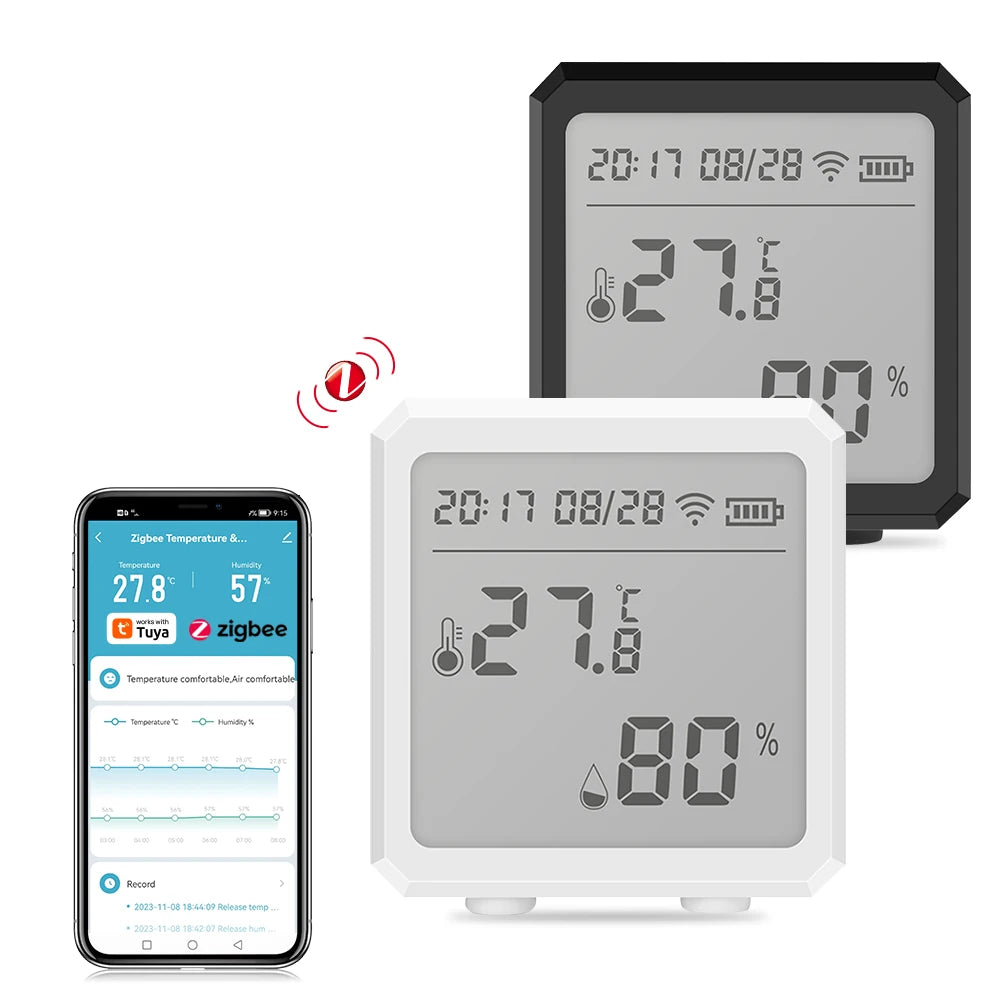
how to control the humidity — humidity sensor purpose and practical indoor humidity monitoring. See it in action.
Top sensor choices compared
How to control the humidity effectively depends on selecting a sensor that matches your monitoring goals, connectivity preferences, and automation requirements. The comparison below highlights the strengths of the most common smart humidity sensor categories.
| Sensor Type | Best for | Average Accuracy | Connectivity | Typical Price |
|---|---|---|---|---|
| Zigbee Temperature & Humidity Sensor | Multi-room monitoring with smart home automation | ±2% RH | Zigbee (hub required) | Moderate |
| Wi-Fi Smart Hygrometer | Independent rooms with cloud monitoring | ±2–3% RH | Wi-Fi | Low–Moderate |
| Thermostat with RH Sensor | Integrated HVAC management | ±3% RH | Proprietary + Wi-Fi | High |
| Bluetooth Mini Sensor | Portable monitoring and temporary deployments | ±3–5% RH | Bluetooth | Low |
Choose the right sensor by room
Sensor placement should reflect how each area of a building is used. Monitoring locations with different ventilation patterns helps create a more accurate picture of indoor humidity.
- Home office or workspace: Track humidity throughout the workday to maintain consistent environmental conditions for electronics and comfort.
- Basement: Install a sensor where moisture tends to accumulate and connect it to dehumidification if needed.
- Living room: Monitor seasonal humidity changes that may require HVAC adjustments.
- Kitchen and bathroom: Place sensors away from direct steam sources while monitoring moisture spikes caused by cooking or showers.
Installation, placement, and calibration tips
Direct answer: Reliable humidity control begins with accurate sensor placement, realistic alert thresholds, and periodic verification. Position sensors where they measure typical room conditions rather than temporary temperature or humidity extremes.
Step-by-step setup
- Mount sensors approximately 3–5 feet above the floor in an open area.
- Avoid placing devices beside HVAC vents, exterior doors, windows, or direct sunlight.
- Connect Zigbee or Wi-Fi sensors to the appropriate hub or mobile application.
- Configure alert thresholds that fit your environment, such as below 40% RH or above 60% RH.
- Review historical readings over several days before adjusting humidifiers, dehumidifiers, or ventilation schedules.
- Check battery levels regularly and recalibrate according to the manufacturer's recommendations if supported.
Quick actions when indoor humidity falls below the recommended range
If monitoring shows consistently low indoor humidity, focus on measured adjustments instead of temporary fixes. A humidity sensor lets you verify whether each change produces a lasting improvement.
- Set a humidifier to maintain a target relative humidity of approximately 40–50% RH.
- Review HVAC settings during colder months, as continuous heating often reduces indoor humidity.
- Place a smart humidity sensor in the room where conditions matter most and monitor trends for several days.
- Improve moisture retention by reducing unnecessary ventilation during dry outdoor conditions while maintaining adequate fresh air exchange.
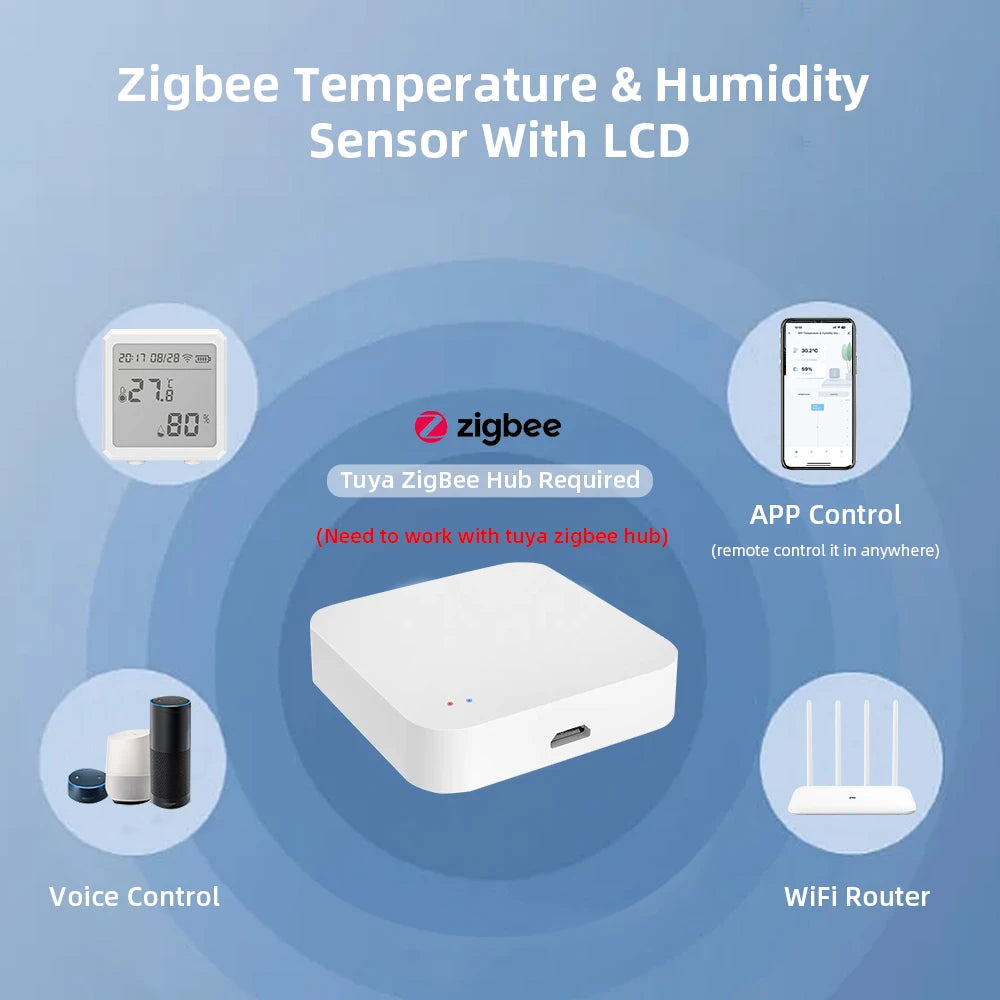
how to control the humidity — using smart humidity monitoring and climate control settings to maintain stable indoor conditions. See it in action.
Product Spotlight: Zigbee Temperature Humidity Sensor
Direct answer: The Zigbee Temperature Humidity Sensor is well suited for users who want dependable humidity and temperature monitoring with seamless smart home automation. When connected to a compatible Zigbee hub, it delivers timely environmental updates that can trigger humidifiers, dehumidifiers, ventilation systems, or HVAC automations based on user-defined thresholds.
Why this sensor stands out
This sensor is designed for continuous environmental monitoring rather than occasional spot checks. Its compact design, reliable wireless communication, and low power consumption make it suitable for long-term installation in areas where maintaining stable humidity is important.
- Typical humidity accuracy of approximately ±2% RH (where specified).
- Compatible with many Zigbee smart home ecosystems.
- Supports automation routines for climate control devices.
- Compact housing allows flexible placement throughout the home or office.
Find the Zigbee option here: Zigbee Temperature Humidity Sensor — a practical choice for integrating humidity monitoring with automated climate control.
Best use cases
- Whole-home environmental monitoring when paired with a Zigbee hub.
- Home offices, living spaces, storage rooms, or other areas where humidity stability matters.
- Works alongside Monitoring Devices and Temperature Tools to provide a broader view of indoor environmental conditions.
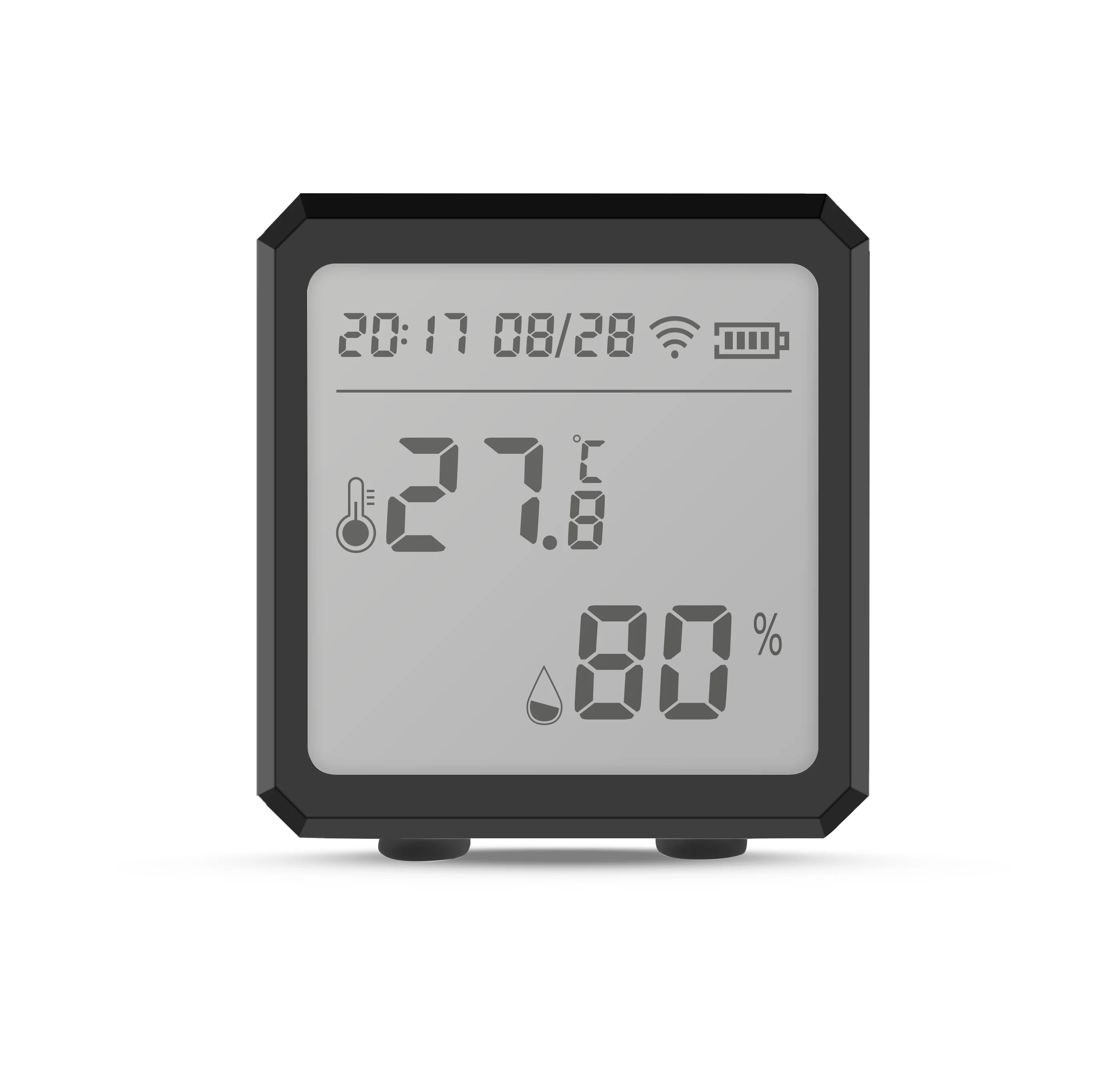
how to control the humidity — smart humidity sensor with automated climate control integration. See it in action.
Frequently Asked Questions
-
What is the ideal indoor humidity range?
Most homes and offices are comfortable when relative humidity stays between 40% and 50%. Maintaining this range helps balance comfort while reducing the likelihood of excessive moisture or overly dry indoor air.
-
Can a humidity sensor automate a humidifier or HVAC system?
Yes. Many Zigbee and Wi-Fi humidity sensors integrate with compatible smart home platforms, allowing humidifiers, dehumidifiers, ventilation equipment, or HVAC systems to activate automatically when preset humidity thresholds are reached.
-
Where should a humidity sensor be installed?
Install the sensor approximately 3–5 feet above the floor in an open area away from windows, exterior doors, HVAC vents, direct sunlight, and localized moisture sources to obtain representative readings.
-
How accurate are smart humidity sensors?
Quality consumer sensors typically provide humidity accuracy between ±2% and ±3% RH, although performance varies by manufacturer, installation location, and calibration.
-
Should I choose Wi-Fi or Zigbee climate sensors?
Wi-Fi sensors are simple to deploy as standalone devices, while Zigbee sensors generally offer lower power consumption, reliable mesh networking, and broader automation capabilities when paired with a compatible hub.
-
How often should climate sensors be calibrated?
Most modern sensors require little maintenance, but checking calibration every 12 to 24 months, or whenever readings appear inconsistent, helps maintain measurement accuracy.
-
Do climate sensors measure CO2 and air quality?
Standard humidity sensors measure temperature and relative humidity only. More advanced indoor environmental monitors may also include CO2, particulate matter (PM2.5), volatile organic compounds (VOCs), or other air quality sensors.
-
What is the best climate sensor for an office?
The ideal choice depends on your workspace. Zigbee models are well suited for automated office environments, while Wi-Fi sensors are often preferred for individual offices that need simple remote monitoring.
Final thoughts — practical next steps
The most effective way to control indoor humidity is to rely on consistent measurements instead of occasional spot checks. Choose a sensor that matches your preferred connectivity, install it in an appropriate location, monitor long-term trends, and automate climate control where practical. A reliable device such as the Zigbee Temperature Humidity Sensor provides dependable environmental data that supports informed decisions and efficient humidity management.
Related gear and accessories: check Smart Baby Gadgets for complementary monitors and Monitoring Devices for broader environmental tools.
Related Articles:
- Humidity Too High in House? Best Smart Detectors to Fix It Fast
- Temperatur Sensor Google Home: Top Options That Sync Smoothly
- How to Control the Humidity: Which Smart Sensors Actually Work Best
- How to Improve Indoor Air Quality: Top Smart Monitors Compared
- How to Prevent Mold in Home: Best Sensors Reviewed for Early Detection
Pillar Articles:





